Product Specification
www.shuttle.eu
Shuttle Computer Handels GmbH
Fritz-Strassmann-Str. 5
25337 Elmshorn | Germany
Tel. +49 (0) 4121-47 68 60
Fax +49 (0) 4121-47 69 00
sales@shuttle.eu
Pa
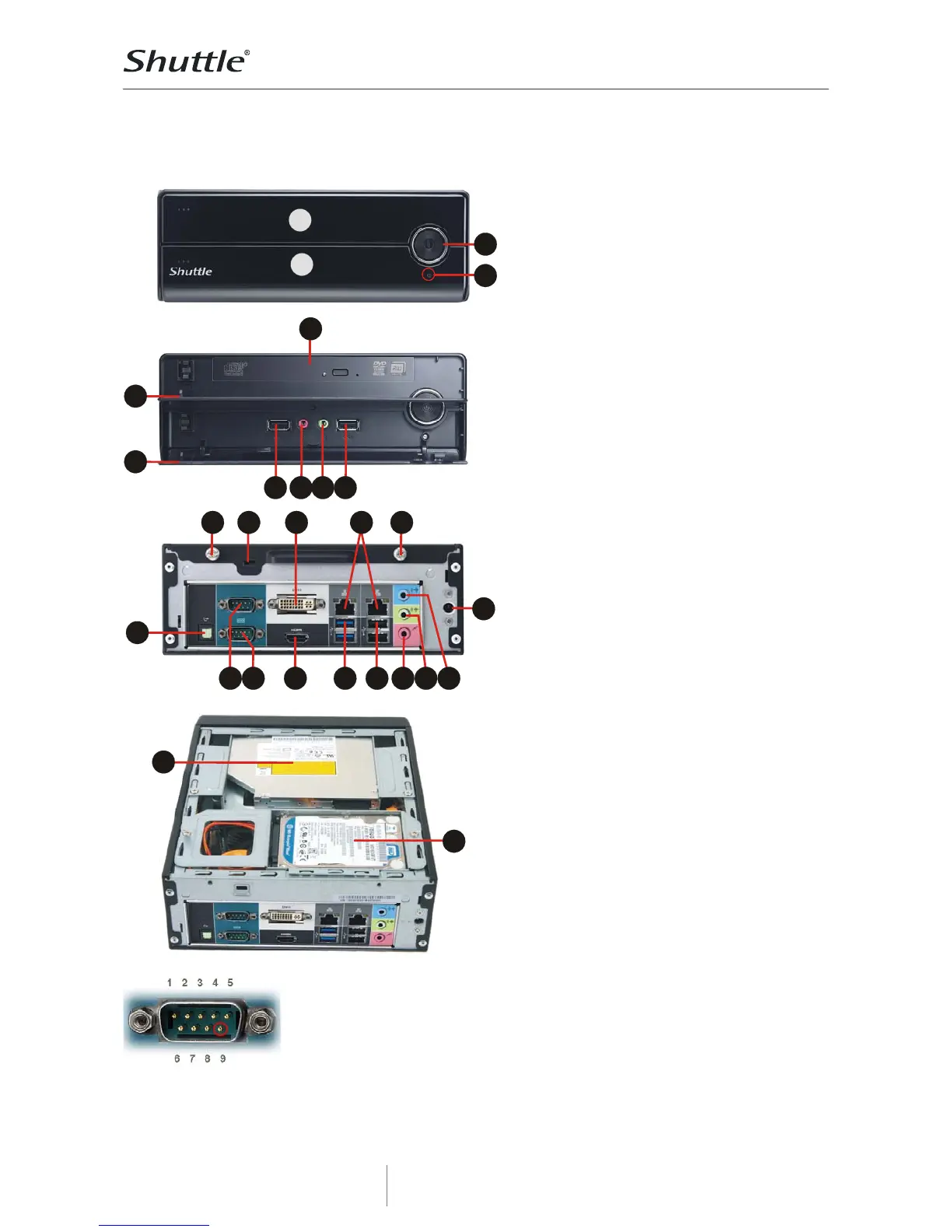
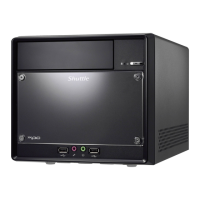
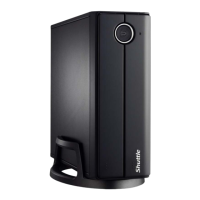
Front Panel
1 Power Button
2 Power LED
3 Bay for optical Slim DVD drive
(the optical drive is not included)
4 Front door for DVD drive
5 Front door for I/O connectors
6 Two bays for 2.5“ hard disk drives or
SSDs
7 2x USB 2.0 ports
8 Microphone input
9 Headphone output
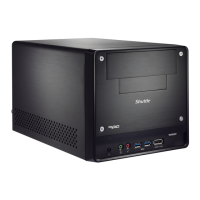
Back Panel
10 Two thumbscrews
11 Hole for Kensington Lock
12 Digital audio: S/PDIF (optical)
13 RS232 serial interface (COM port)
14 RS232 / RS422 / RS485 ser. (COM)
15 DVI-I – digital video output
(supports VGA with optional adapter)
16 HDMI – digital video/audio output
17 Dual Gigabit network (RJ45)
18 2x USB 3.0
19 2x USB 2.0
20 Microphone input
21 Headphone / line-out
22 Audio line-in
23 Connector for the power adapter
Note: the storage drives (hard disk and
optical slimline drive) are not included in
the delivery of XH61V. For a second 2.5”
drive you will need another SATA cable.
COM port Pin 9 Configuration
Pin 9 is a multi-functional signal. Based on Jumper 3 configuration on the
mainboard, it can be configured as Ring Indicator (RI) or external power supply
with either 5V or 12V voltage level (each COM port separately).


 To Next Page