- 36 -
4. Data bar
Showing various data on the top or bottom.
4.1. Mode
▶[MENU]->Advance->Setup->Customizing->Data bar->Mode
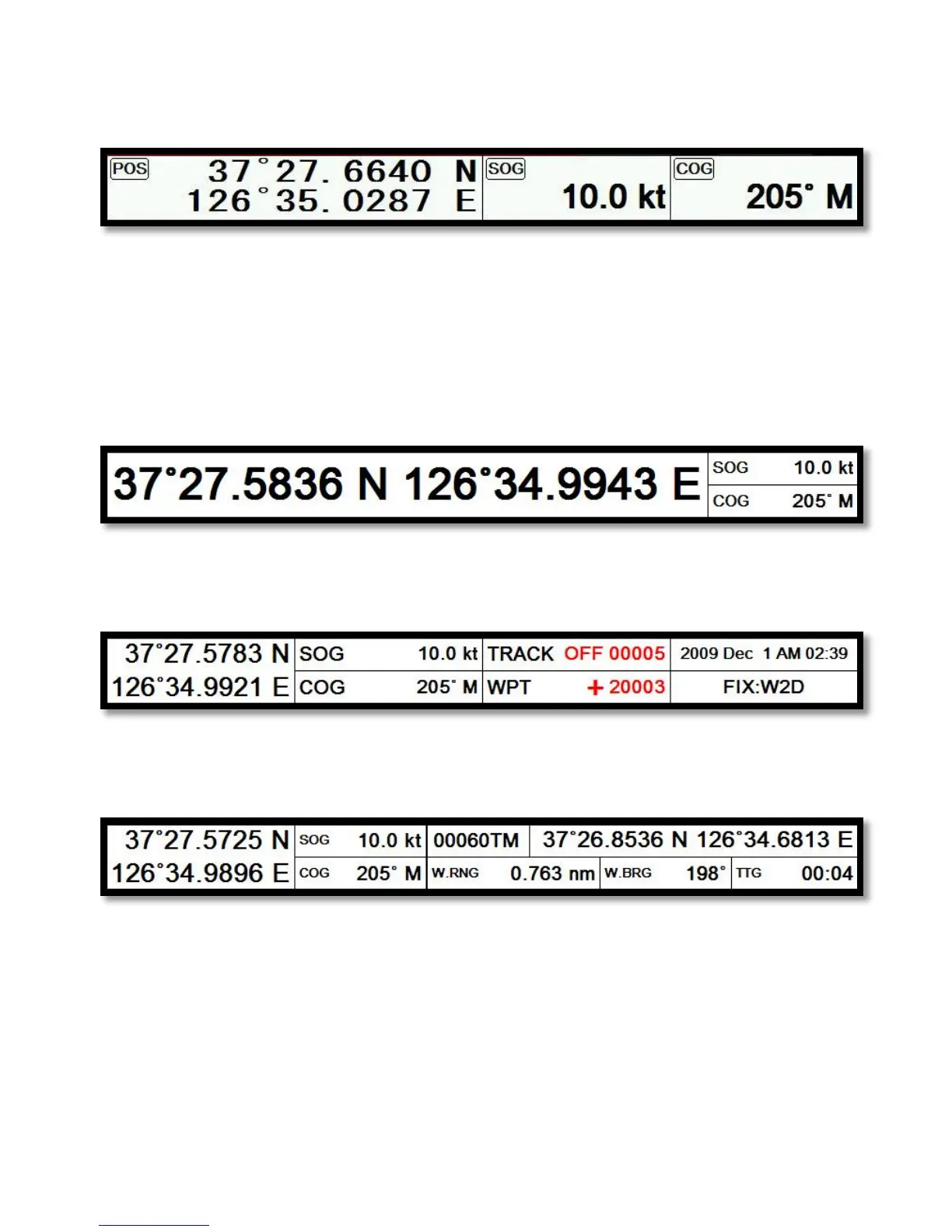
Data bar has three meanings as below.
4.1.1. GPS
Showing the largest LAT/LON.
4.1.2. HY
Showing the LAT/LOT, SOG, COG and user data.
4.1.3. NAV
You can view detailed information about the navigation data.
4.1.4. Customizing
Showing various data as what the user wants.
▶[MENU]->Advance->Setup->Customizing->Data bar->Edit


 To Next Page