- 48 -
12. Load User data
▶[MENU]->User data->Load User data
User data loads from the stored micro SD. If you need to load the user data, the stored micro SD must
be inserted in the slot.
(*User data is in “...\HY\User Data\”)
12.1. WPT
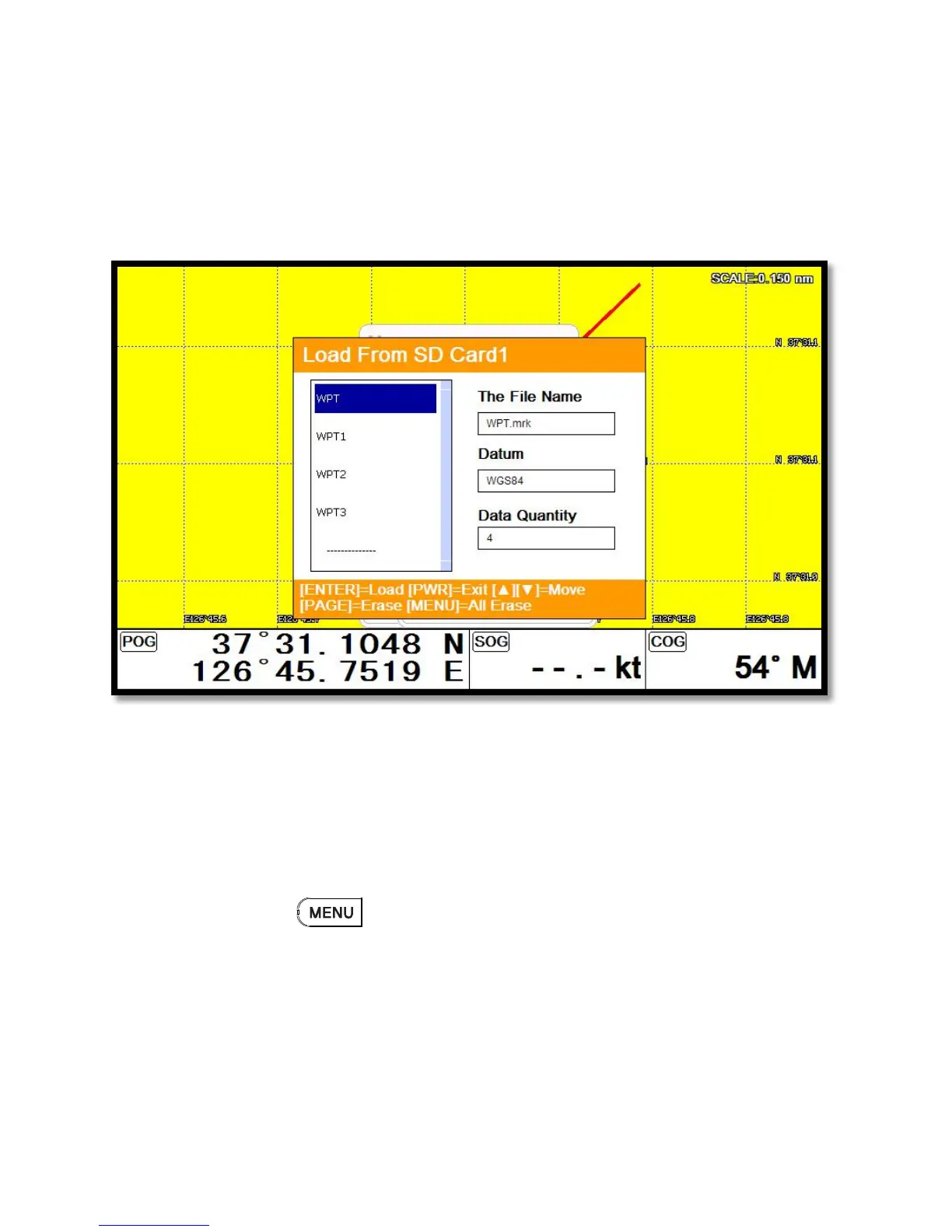
WPT loads from the stored micro SD.
All of WPT in the micro SD show on the list. Choose one of them and it will show.
There are two ways to load WPT.
First, showing the stored WPT as well as the existing on the sceen. After loading the stored, you will
see the window and press .
Second, showing only stored WPT. After loading the stored, press [ENTER].
12.2. Route
Route loads from the stored micro SD.
All of route in the micro SD show on the list. Choose one of them and it will show.


 To Next Page
 Loading...