ENG 13
2.1. FIRST STEPS
1. Plug in the power strip to the electrical current.
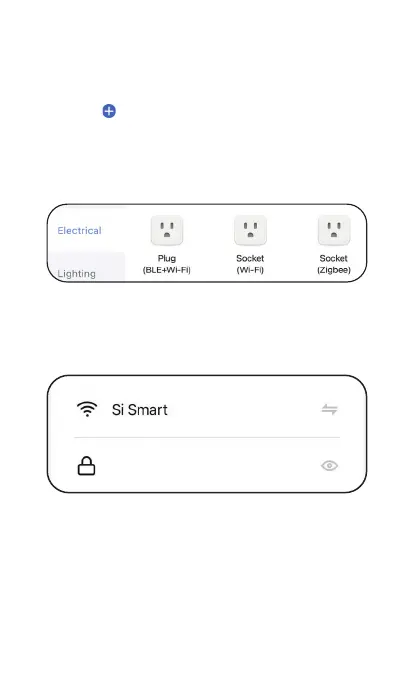
2. Click on on the top right corner on the “Home”
tab of Smart Life.
3. In the menu on the left, select “Electrical” and
click on Socket (Wi-Fi).
k on on the top right corner on the “Home”
4. Make sure you are connected to a 2.4GHz WiFi
network and enter your WiFi name and password
on the App.
5. Make sure the strip is in reset mode (flashing
rapidly). New products usually come in reset mode
by default.
6. If the power strip is not in reset mode, you can
reset it manually by holding down the power button
for about 10 seconds until it starts to flash.
12341234



 To Next Page