5 Mounting
5.1 Mounting instructions
•
Observe the technical data.
•
Protect the sensor from direct sunlight.
•
To prevent condensation, avoid exposing the device to rapid changes in tempera‐
ture.
•
The mounting site has to be designed for the weight of the device.
•
Protect the device from moisture, contamination, and damage.
•
Ensure a sufficient level of cooling using ambient air/convection and/or heat dissi‐
pation through mechanical mounting. Observe the permitted operating tempera‐
ture, see "Technical data", page 19.
5.2 Mounting the device
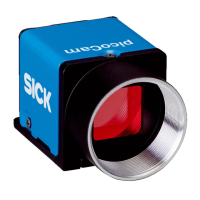
1. Mount the device using the designated fixing holes, see "Dimensional drawing",
page 19.
2. Make the electrical connection. Attach and tighten a voltage-free cable, see "Con‐
necting the device electrically", page 14.
3. Switch on the supply voltage.
✓
The LED flashes green.
4. Align the device so that the desired object is recorded.
5 MOUNTING
12
O P E R A T I N G I N S T R U C T I O N S | picoCam2 8025786/0000/2020-07 | SICK
Subject to change without notice


 To Next Page