Operating Instructions Chapter 3
V200/V300
8012227/YT87/2016-03-29 © SICK AG • Industrial Safety Systems • Germany • All rights reserved 17
Subject to change without notice
Product description
3.5.2 Diagnostics LEDs of the V200/V300
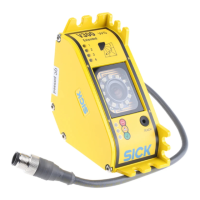
The camera indicates diagnostic information with the aid of four LEDs.
Display Meaning
O 1
… O 2
… O 3
… O 4
Power-up sequence: After switching on the V200/V300 and after each
teach-in, the power up sequence runs. Starting with the diagnostics
LED 1, the next diagnostics LED illuminates after one second and so
on until all 4 diagnostics LEDs are illuminated.
o Protective field sector free
O
Interruption of the protective field in the allocated protective field
sector (see Fig. 8). A protective field sector represents one quarter of
the field of view of the V200/V300.
ôFõ Teach-in mode (see section 8.1 “Teach-in” on page 44)
ôJõ Warning (see chapter 10 “Fault diagnosis” on page 50)
ôKõ Error (see chapter 10 “Fault diagnosis” on page 50)
of the V200/V300
diagnostics LEDs
field sector


 To Next Page