Siemens Home and Office Communication Devices GmbH & Co. KG
Confidential 5 SHC CC RCT
Version 1.5 J. Junggebauer
3 Procedures
3.1 Fundamental Reset
Disconnect mains. Press paging key on base station and hold down.
Plug in AC- adapter. Hold key pressed for more than 3 seconds.
Release paging key. The base station is now set to factory defaults.
The system-PIN is reset to 0000 and all mobile units are deregistered.
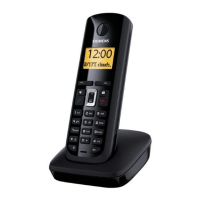
3.2 Service procedures for A16 and A26 handset
Read out IPUI of the handset (for identification purposes): menu-key, *, #, 0, 6, #
SW-version: Read out SW-version and IPUI (international portable user identity) of handset.
IPUI is a unique number (like IMEI) that could be used for identification.
Speechpath-test: Switches a direct loop between microphone and loudspeaker. This
enables a check of the speechpath by blowing in the microphone.
Metering mode: Press o.k. to activate an information line during normal operation mode and
leave the service menu afterwards.
Example: 100 - 0 - 02 - 016 - 100
RX-level - Frequency - Time slot - Base code - Bit error rate (100 = 100% o.k.)
Measure time: Changes the measure time of the metering mode (change is not necessary).
Working time: Read out the time for which the handset has been switched on. Example:
100h means handset has been switched on for 100 hours.
The counter can only be reset at WSC.
Press 1, 4 and 7 simultaneously and keep keys pressed
Switch on and keep key pressed until "SERVICE" is visible, then release all keys
This code performs a fundamental reset on
the handset. All settings are reset to factory
defaults. Handset is still registered to base.
Service-menu is displayed with following items:
SW-version, QS-data, Speechpath test, Battery
mode, DSP-parameters, Metering mode,
Measure time, Working time, SAR.
Red items are only for Development Department
or Quality Assurance and not explained here!










 To Next Page