Audio input (only Cielo 2)
12
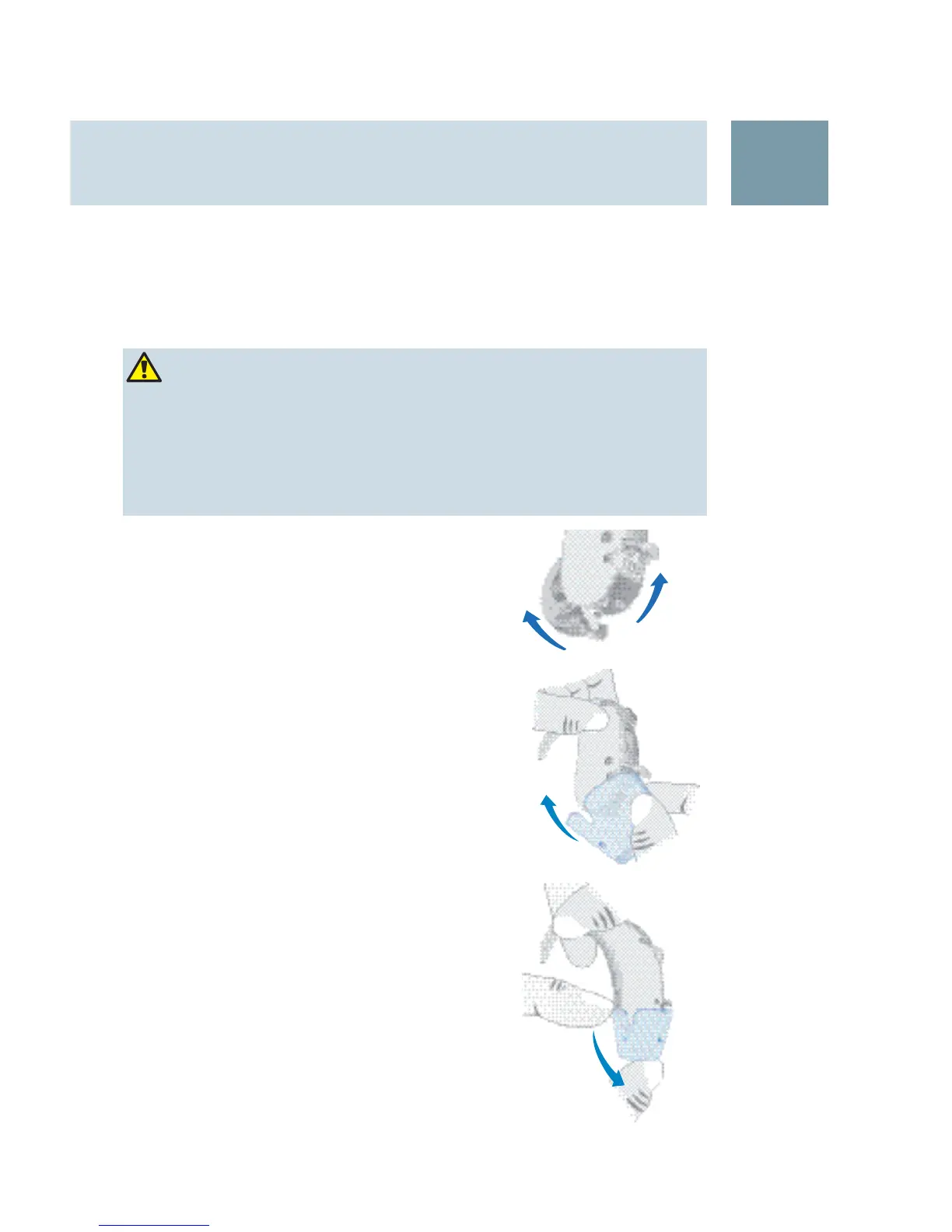
Attaching the Cielo 2 Audio shoe
Open the battery compartment X ①.
Open the audio shoe cover
X ②.
Close the battery compartment.
X
Align the contacts of the audio shoe X
and the hearing instrument.
Push the audio shoe over the hearing
X
instrument.
The audio shoe snaps perceptible in.
Removing the Cielo 2 Audio shoe
Pull the audio shoe off. X
Close the audio shoe cover. X
WARNING
Risk of injuries caused by electric shock!
Connect audio input only to device conforming to
X
IEC 60065 (IEC-Norm for audio, video and other
electronic devices).
②
①
21





 To Next Page