EasyManua.ls Logo

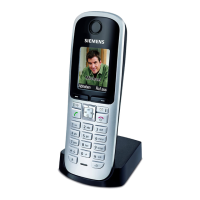
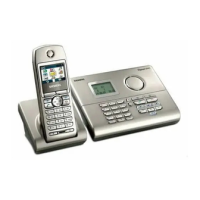
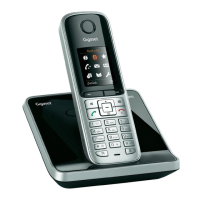
Siemens Gigaset S790 - User Manual

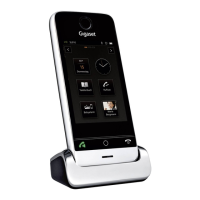
Siemens Gigaset S790
97 pages
Print Icon
To Next Page IconTo Next Page
Loading...
S790 - S795
S790 - S795
GIGASET. INSPIRING CONVERSATION.
Gigaset Communications GmbH
Frankenstr. 2a, D-46395 Bocholt
Manufactured by Gigaset Communications GmbH
under trademark license of Siemens AG.
As of 1 Oct. 2011 Gigaset products bearing the
trademark 'Siemens' will exclusively use the trademark 'Gigaset'.
All rights reserved. Subject to availability.
www.gigaset.com
© Gigaset Communications GmbH 2010

Table of Contents

Other manuals for Siemens Gigaset S790

Questions and Answers

  • K
    Kristopher HernandezAug 16, 2025
    What to do if the Siemens Gigaset S790 Cordless Telephone display is blank?
    • A
      angelamanningAug 16, 2025
      If the display of your Siemens Cordless Telephone is blank, it could be due to a couple of reasons. First, the handset might not be switched on. Try pressing and holding the end call key. Second, the battery could be empty. In this case, charge or replace the battery.
  • J
    John HayesAug 19, 2025
    Why does my Siemens Gigaset S790 Cordless Telephone not ring?
    • P
      perkinsdavidSep 12, 2025
      If your Siemens Cordless Telephone isn't ringing, there are a couple of potential reasons: 1. The ringtone may be deactivated. Try activating the ringtone. 2. The phone might only ring if the phone number has been transferred. In this case, switch on the ringtone for unknown calls.
  • W
    woodsamuelAug 22, 2025
    What to do if I cannot hear a ringtone/dialing tone from the fixed line network on my Siemens Gigaset S790 Cordless Telephone?
    • J
      jillian28Aug 22, 2025
      If you cannot hear a ringtone/dialing tone from the fixed line network on your Siemens Cordless Telephone, it might be because the phone cord supplied has not been used or has been replaced by a new cord with the wrong pin connections. Please always use the phone cord supplied or ensure that the pin connections are correct when purchasing from a retailer.
  • M
    Monica RiosAug 25, 2025
    What does it mean when 'No Base' flashes on my Siemens Gigaset S790?
    • E
      Erik McconnellAug 26, 2025
      If 'No Base' is flashing on the display of your Siemens Cordless Telephone, it could be due to several reasons: 1. The handset is outside the range of the base. Try moving the handset closer to the base. 2. The base's range is reduced because Eco Mode is activated. Deactivate Eco Mode or reduce the distance between the handset and the base. 3. The base is not switched on. Check the base power adapter.
  • C
    Charles GuerraAug 28, 2025
    What to do if 'Please register handset' flashes on the display of my Siemens Gigaset S790?
    • T
      Tristan GlassAug 28, 2025
      If 'Please register handset' is flashing on the display of your Siemens Cordless Telephone, it means that the handset has not been registered with the base or has been deregistered. To resolve this, register the handset.
  • L
    larry47Aug 31, 2025
    Why the other party cannot hear me when using Siemens Gigaset S790 Cordless Telephone?
    • P
      Pamela CochranAug 31, 2025
      If the other party cannot hear you when using your Siemens Cordless Telephone, it's possible that you have pressed the mute button, and the handset is 'muted'. Reactivate the microphone to resolve this.
  • E
    Emily YoungSep 3, 2025
    Why is the caller ID not displayed on my Siemens Gigaset S790?
    • S
      Susan BruceSep 3, 2025
      If the caller ID is not displayed on your Siemens Cordless Telephone despite having CID (Calling Line Identification), it's likely that Calling Line Identification is not enabled. The caller should ask the network provider to enable Calling Line Identification (CID).
  • A
    Adriana CurrySep 6, 2025
    What to do if I hear an error tone when keying an input on my Siemens Cordless Telephone?
    • B
      Bruce BrownSep 6, 2025
      If you hear an error tone when keying an input on your Siemens Cordless Telephone, it indicates that the action has failed or the input is invalid. Repeat the operation, watch the display, and refer to the user guide if necessary.
  • C
    Christopher SnowSep 9, 2025
    Why can't I listen to messages on the network mailbox with my Siemens Gigaset S790?
    • G
      garciajohnnySep 9, 2025
      If you cannot listen to messages on the network mailbox with your Siemens Cordless Telephone, your PABX might be set for pulse dialing. Set your PABX to tone dialing.
  • N
    nicholsbrentSep 12, 2025
    Why are not all menu items displayed on my Siemens Gigaset S790 Cordless Telephone?
    • B
      Beth ThomasSep 12, 2025
      If not all menu items are displayed on your Siemens Cordless Telephone, it's because the menu display is restricted (standard mode). Activate extended menu display (expert mode) to see all items.

Siemens Gigaset S790 Specifications

General IconGeneral
TypeCordless Telephone
Battery Life (Standby Time)up to 300 hours
Phonebook Capacityup to 200 entries
Weight120 g
ECO ModeYes
SpeakerphoneYes
Caller IDYes
Conference CallYes
Number of Handsetsup to 6
Frequency1.88 - 1.90 GHz
Range (Outdoor)up to 300 m
Range (Indoor)up to 50 m
DECT StandardDECT
Ringtones20

Related product manuals