
 Need help?
Do you have a question about the Siemens iQ700 EX677NYV6E and is the answer not in the manual?
Read manual carefully, keep instructions, appliance, and product info safe for future reference or next owner.
Appliance for preparing meals/drinks, used under supervision in domestic environment, up to 4000m altitude.
Appliance for children 8+ and people with reduced abilities, if supervised or instructed on safe use.
Warnings for fire risk from unattended cooking, risk of burns from hot surfaces, and electric shock.
Saucepans may jump due to liquid between base/hotplate. Keep bases dry and avoid icy-cold cookware.
Keep packaging material and small parts away from children to prevent suffocation.
Packaging is environmentally compatible and recyclable. Sort and dispose of components separately.
Use less energy: match pan to zone, use lids, use flat bases, cook with minimal water.
Cookware must be ferromagnetic, flat and smooth. Use Cookware test to check suitability.
Benefits of induction technology: time saving, energy saving, and improved heat control.
Details of symbols, functions, and selection sensors on the control panel.
Specifies power levels for cooking zones based on standard pots and IEC/EN 60335-2-6.
Remove packaging, wipe hob with damp cloth. Refer to website for recommended cleaning agents.
Induction technology offers time saving, energy saving, and improved heat control.
List of recommended cookware is available on the official website siemens-home.bsh-group.com.
Set up home network connection via the Home Connect app.
Touch sensor to switch on. Symbols light up, indicating the hob is ready for use.
Touch sensor until displays go out. All cooking zones switch off automatically.
Select cooking zone and set power level 1-9. Flashes if no cookware or unsuitable cookware.
Tips for heating puree, cooking with lids, using oven gloves, and energy-efficient cooking.
Position cookware on flexible zone for optimal heat detection and distribution.
Place cookware, select zone/power. Zones split or connect based on size/position.
Position cookware in the middle over the rear part of the flexible cooking zone and its extension.
Place cookware covering extension, select zone and power. Zone activates and lights up.
Select cooking zone and set to 0. Function is deactivated.
Slide cookware to change power level. Zone has 3 areas with preset power levels.
Place one item of cookware on flexible zone, select zone and press. Area lights up.
Touch sensor. Indicator lights dimly. Function is deactivated.
Program cooking time for one or more zones. Zone switches off automatically when time elapses.
Activate timer 0-99 mins, independent of cooking zones. Does not switch off zones.
Stopwatch function displays elapsed time since activation.
Heat large volumes of water quickly. Available for all zones if other zone in group is not in use.
Select zone, touch sensor. Zone switches back to power level 9. Function deactivated.
Use cold pans with flat bases for recommended applications.
Select zone, touch sensor twice. Function is switched on.
Select zone, touch sensor. Function deactivated, switches back to power level 9.
Press sensor, select zone within 10 seconds. Function starts and indicator lights up.
Touch sensor, select zone. Zone switches off and residual heat indicator appears.
Transfer power level and cooking time from one zone to another by moving cookware.
Temperature kept constant automatically, prevents overheating, saves energy.
Table showing temperature levels for preparing meals.
Special cookware recommended for best results, available from customer service.
Place empty cookware, select zone/temp. Add fat/food when target temp is reached.
Select cooking zone and touch sensor. Function has been deactivated.
Table showing ideal temperature levels and cooking times for various dishes.
Touch sensor and hold for 4 seconds. Hob is locked, display lights up.
Touch sensor and hold for 4 seconds. Lock is released.
Activate childproof lock automatically every time the hob is switched off.
Press sensor. Control panel locks for 35 seconds for cleaning. Warning tone sounds.
Touch sensor to switch off early. Control panel is unlocked.
Table detailing display, setting, and value for various appliance configurations.
Instructions to access basic settings: switch on hob, then press and hold sensor for 4 seconds.
Touch sensor to discard changes. All changes are discarded and not saved.
Place cookware with water, access basic settings, select c12, touch repeatedly to set, then save.
Interpret results: unsuitable, optimal, or correct heating of cookware.
Install app, start app, and set up access for Home Connect. App guides through login process.
Requirements for connecting: appliance on, mobile device, app installed, Wi-Fi signal.
Table of settings for network connection, app connection, Wi-Fi status, software updates etc.
Use Home Connect app to change cooking zone settings and send them to the hob.
Update appliance software for optimisation, troubleshooting, or security. Download and install via app.
Customer Service can access appliance remotely for diagnostics if connected to Home Connect server.
Information on data transmitted during initial registration for Home Connect services.
Reset Home Connect settings if connection problems occur or to change Wi-Fi network.
Adjust extractor hood behaviour based on hob status via basic settings or hob controls.
Select fan setting on control panel: levels 1-3, or intensive setting 4-5.
Select fan setting 0 on the control panel to switch off the fan.
Notes on fault codes (E appearance), error handling, and power reduction due to overheating.
Table of faults, causes, and troubleshooting steps for display issues like no lights or flashing.
Information on common noises like buzzing, crackling, hissing, fan noises, and rhythmic noises.
Instructions for unplugging, cutting power cord, and disposing of appliance environmentally.
Covers compliance with Product Security and Telecommunications regulations.
How to find and note down the product and production numbers for customer service.
Recipe for melting chocolate coating using 16 cm saucepan without lid.
Recipe for heating lentil stew warm using 16 cm saucepan with lid.
Recipe for heating lentil stew warm using 20 cm saucepan with lid.
Recipe for preparing Béchamel sauce, including melting butter and adding milk.
Recipe for cooking rice pudding with lid on, using 16 cm and 20 cm saucepans.
Recipe for cooking rice pudding without lid, using 16 cm and 20 cm saucepans.
Recipe for cooking rice using 16 cm and 20 cm saucepans with lid.
Recipe for roasting pork loin using a 24 cm pan without lid.
Recipe for preparing crêpes using a 24 cm pan without lid.
Recipe for deep-fat frying frozen chips using a 20 cm pot.
This document serves as an instruction manual for a Siemens induction hob, providing comprehensive guidance on its functions, safe operation, and maintenance.
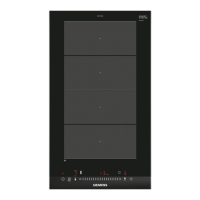
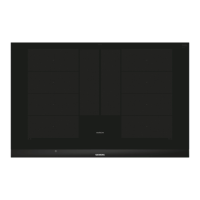
The Siemens induction hob utilizes induction technology for cooking, offering benefits such as time and energy savings, improved heat control, and ease of cleaning. It features multiple cooking zones, including flexible zones that adapt to various cookware shapes and sizes.
Basic Operation: The hob is switched on and off using a main switch. Power levels for cooking zones can be set from 1 to 9 with intermediate values, allowing for precise heat control. A quickStart function automatically detects cookware placed on the hob upon switch-on, selecting the corresponding cooking zone. The reStart function allows the hob to resume previous settings if switched off and on within four seconds.
Flexible Cooking Zones (flexInduction and flexInduction Plus): These zones consist of multiple independent inductors, allowing cookware of various shapes and sizes to be placed anywhere within the zone. The hob automatically detects the cookware and activates only the covered area. For larger or long cookware, the flexInduction Plus feature extends the cooking zone, enabling sideways placement. These flexible zones can be configured as one connected cooking zone or two separate zones, each with independent power levels.
powerMove Plus: This feature allows users to change the power level of cookware by simply sliding it forwards or backwards within a flexible cooking zone. The zone is divided into three areas, each with a preset power level (front area: level 9, middle area: level 5, rear area: level 1.5), which can be customized in the basic settings.
Time-setting Options: The hob includes a switch-off timer, a general timer, and a countUp function. The switch-off timer allows users to set a cooking time after which the cooking zone automatically switches off. The timer can be used independently of cooking zones for various purposes. The countUp function displays the elapsed time since a cooking zone was activated.
powerBoost and shortBoost: These functions provide increased power for rapid heating. powerBoost is available for all cooking zones, provided no other cooking zone in the same group is in use. shortBoost is specifically designed for melting chocolate or butter and keeping meals warm, offering a quick burst of heat for 30 seconds before automatically switching off to prevent overheating.
Keep-warm Function: This function is used to melt chocolate or butter and keep meals warm at a low temperature.
flexMotion: This feature allows the transfer of power levels and programmed cooking times from one cooking zone to another by simply moving the cookware. The hob detects the moved cookware and applies the previous settings to the new zone.
fryingSensor: This function is ideal for cooking sauces, pancakes, frying eggs, vegetables, or steaks, maintaining a constant temperature to prevent overheating and burning. Users select a target temperature level, and the hob's sensors monitor and adjust the heat accordingly.
Childproof Lock: The hob is equipped with a childproof lock to prevent accidental activation by children. It can be manually switched on and off, and an automatic childproof lock can be configured to activate every time the hob is switched off.
Wipe Protection: This function temporarily locks the control panel for 35 seconds, allowing users to clean it without inadvertently adjusting settings. The main switch remains functional during wipe protection.
Individual Safety Switch-off: As a safety measure, if a cooking zone operates for an extended period without any setting changes, it will automatically switch off, displaying "F8". The duration depends on the selected power level.
Home Connect: The appliance is network-capable, allowing control via the Home Connect app on a mobile device. Users can adjust functions, basic settings, and monitor the hob's operating status remotely. The app also facilitates software updates and remote diagnostics by customer service.
Hob-based Hood Control: If both the hob and an extractor hood are Home Connect-compatible, they can be connected via the app. This allows the hob to control the hood's fan settings and lighting based on cooking activity.
The manual provides detailed instructions for optimal use, including:
The manual outlines essential cleaning and servicing procedures:
The manual also includes a declaration of conformity and customer service information, including product and production numbers for easy reference.
 General
| Type | Induction Hob |
|---|---|
| Cooking Zones | 4 |
| FlexInduction Zone | Yes |
| Control Type | TouchSlider |
| PowerBoost | Yes |
| Timer | Yes |
| Total Power | 7.4 kW |
| Residual Heat Indicator | Yes |
| Power Management | Yes |
| Installation Type | Built-in |
| Color | Black |
| Material | Glass ceramic |
| Safety Features | Childproof lock, Automatic safety switch off |



 To Next Page