EasyManua.ls Logo

Siemens iQ700 - User Manual

Siemens iQ700
56 pages
Print Icon
To Next Page IconTo Next Page
Loading...
en Instruction manual
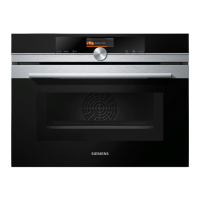
Microwave
CM836GPB6A

Table of Contents

Other manuals for Siemens iQ700

Questions and Answers

  • R
    Ronald HallAug 18, 2025
    What to do if Siemens Iron drips water when using the shot of steam?
    • K
      Kenneth ReidAug 18, 2025
      If your Siemens Iron is dripping water from the soleplate during the “shot of steam” function, you might be pressing the shot of steam button too frequently. Ensure you wait 5 seconds between each press. Also, the temperature may be too low; try setting it to “max”.
  • M
    mcknightlaceyAug 21, 2025
    Why doesn't my Siemens Iron steam in horizontal position?
    • D
      danielfranklinAug 21, 2025
      If your Siemens Iron isn't producing steam in a horizontal position, it might be because “Steam on demand” mode is selected. Press the steam activation trigger to generate steam, or double-click it to select “autoSteam” mode.
  • V
    Vickie CunninghamAug 23, 2025
    Why are deposits coming out of my Siemens Iron?
    • J
      Janet MartinAug 23, 2025
      If you notice deposits coming out through the holes in the soleplate of your Siemens Iron, it indicates that traces of lime scale are coming out of the steam chamber. To resolve this, you should carry out a cleaning cycle.
  • S
    Sarah MurphyAug 26, 2025
    What does it mean when the calc light flashes on my Siemens Iron?
    • S
      Sharon BakerAug 26, 2025
      If the automatic clean warning lamp “calc” flashes on your Siemens Iron, the “calc'n Clean” reminder has been activated. You should carry out a cleaning cycle.
  • R
    Richard PerkinsAug 27, 2025
    Why does my Siemens Iron not produce steam horizontally?
    • L
      Lee PollardAug 27, 2025
      If steam does not come out of your Siemens Iron in a horizontal position, it might be because the “Steam on demand” mode has been selected. Press the steam activation trigger to generate steam. Double click on steam activation trigger to select the “autoSteam” mode.
  • J
    Jennifer FergusonAug 30, 2025
    Why is my Siemens Iron not heating up?
    • C
      christina59Aug 30, 2025
      If your Siemens Iron isn't heating up, it might be in stand-by mode due to the “startStop Control” function. Try gripping the handle to restart it. Alternatively, the soleplate may be heating up or cooling down to the selected temperature, which is normal; the lights will stop flashing once the temperature is reached.
  • D
    Derek RamseySep 1, 2025
    How to prevent clothes from sticking to my Siemens Iron?
    • D
      Desiree JohnsonSep 1, 2025
      If your clothes are sticking to the Siemens Iron, the soleplate temperature may be too high. Select a lower temperature and wait for the iron to cool down.
  • S
    Sonia GlennSep 3, 2025
    Why does my Siemens Iron smoke when first used?
    • D
      Dennis SmithSep 3, 2025
      If smoke comes out when connecting your Siemens Iron for the first time, this is normal and caused by the lubrication of some internal parts. It will stop after a few minutes.
  • J
    James HowardSep 6, 2025
    Why is the motor in my Siemens Iron not working?
    • Z
      Zachary HamiltonSep 6, 2025
      If the motor in your Siemens Iron isn't working, ensure the iron is in a horizontal position. Also, if the soleplate is heating up, wait until the selected temperature is reached.
  • R
    Rebekah GonzalesSep 8, 2025
    Why does my Siemens Iron make a pumping sound?
    • C
      Crystal WarrenSep 8, 2025
      This pumping sound from your Siemens Iron is normal. It indicates that water is being pumped into the steam chamber.

Summary

Intended Use

Important Safety Information

General Safety Precautions

Covers general safety information, warnings on fire, burns, injury, electric shock, and magnetism.

Causes of Damage

Avoiding Appliance Damage

Details on how to prevent damage to the appliance from accessories, water, and improper use.

Environmental Protection

Getting to Know Your Appliance

Before Using for the First Time

Initial Setup and Cleaning

Guide to initial setup (language, time, date) and cleaning the appliance.

Operating the Appliance

Basic Operation

How to switch the appliance on/off, start, interrupt, and select operating modes.

Setting Heating and Temperature

Steps to select heating types, set temperatures, and start cooking operations.

Time-Setting Options

Childproof Lock

Activating and Deactivating Lock

Instructions on enabling or disabling the childproof lock to prevent accidental changes.

Microwave

Microwave Cookware and Tests

Information on suitable cookware for microwave use and a test for suitability.

Microwave Power Settings

Details on microwave power levels and combining microwave with other heating types.

Meat Thermometer

Using the Meat Probe

Guidance on correctly inserting the meat probe into food for accurate temperature measurement.

Setting Core Temperature

How to set the target core temperature and use the meat thermometer for precise cooking.

Home Connect

Troubleshooting

Fault Table and Solutions

A guide to common faults, their possible causes, and recommended solutions for troubleshooting.

Customer Service

Dishes

Applying Settings for Dishes

Step-by-step guide to setting up cooking parameters for various dishes using automatic programs.

Tested for You in Our Cooking Studio

Siemens iQ700 Specifications

General IconGeneral
Current10 A
Connected load2300 W
AC input voltage220 - 240 V
AC input frequency50 Hz
Water consumption per cycle- L
Energy consumption washing per cycle1.03 kWh
Washing classA
Annual water consumption washing10500 L
Annual energy consumption washing189 kWh
Door colorGray
Door hinge-
Cord length1.75 m
Drum volume65 L
Control typeRotary
Display typeLCD
Loading typeFront-load
Drum materialStainless steel
Product colorWhite
Built-in displayYes
Door opening angle165 °
Appliance placementFreestanding
Drum capacity8 kg
Residual moisture52 %
Spin-drying classB
Maximum spin speed1400 RPM
Noise level (spin)71 dB
Noise level (wash)49 dB
Package depth690 mm
Package width660 mm
Package height875 mm
Package weight79000 g
Weight and Dimensions IconWeight and Dimensions
Depth590 mm
Width600 mm
Height842 mm
Weight78000 g
Depth with door open1058 mm

Related product manuals