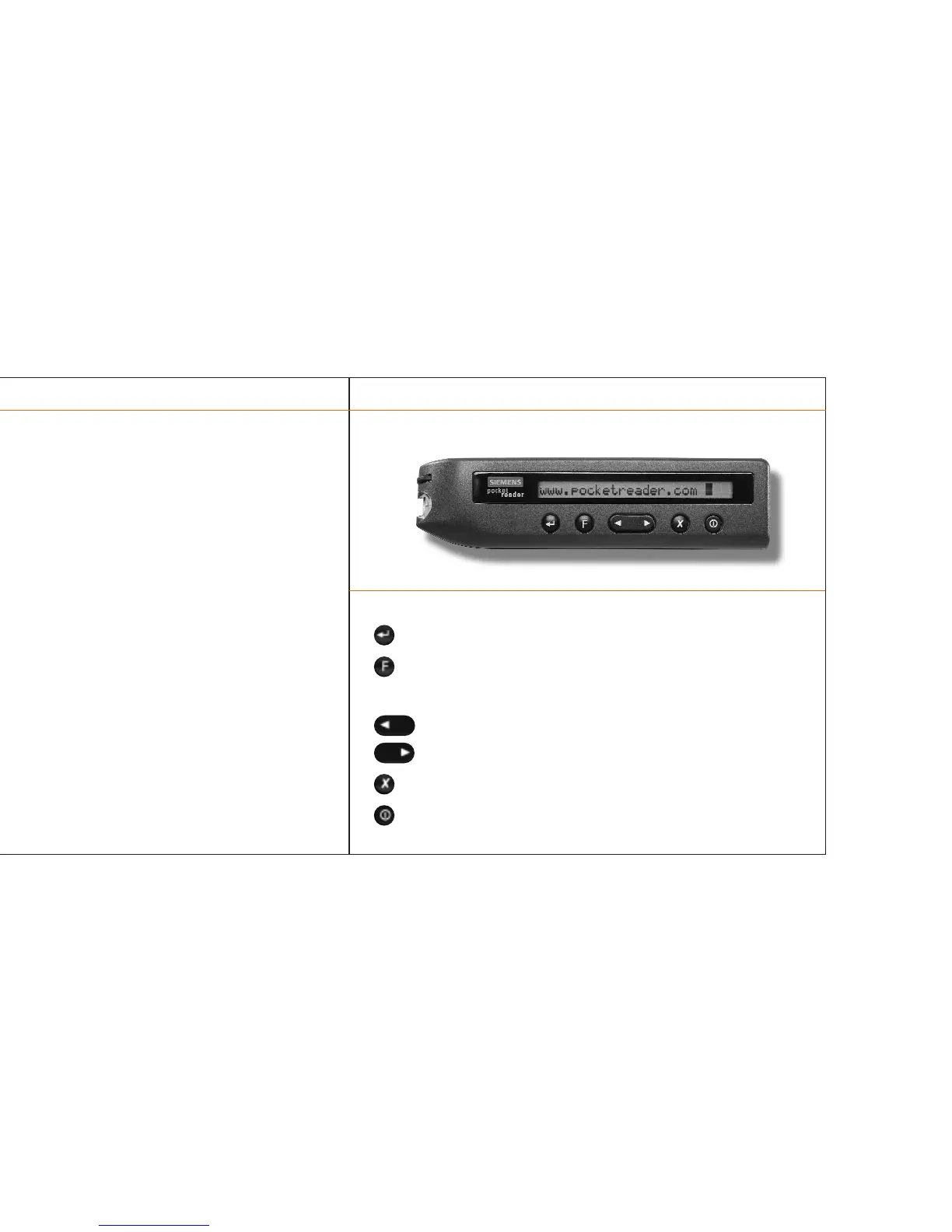
There are six buttons on the Pocket Reader. Here's what each is for:
Inserts carriage return
Function menu selection
(depressed for several seconds) calls up menu
(depressed briefly) indicates text language
Moves cursor backward in text/menu
Moves cursor forward in text/menu
Deletes text to right of flashing cursor
Turns the Pocket Reader on and off
Components
> Scanning head
The tapered scanning head is used for scanning printed text.
> Display
The Pocket Reader's window displays 24 characters of scanned text as well
as menu options and status messages.
> Control keys
> PC/Mac™ interface
The PC serial cable connects the Pocket Reader to the PC/Mac™.
see “How to connect the Pocket Reader to the PC or Mac™”
> Battery compartment
The battery compartment holds two AAA batteries.
see “How to replace the batteries”
The Pocket Reader / 7
The Pocket Reader / 6



 To Next Page