Using the Pocket Reader
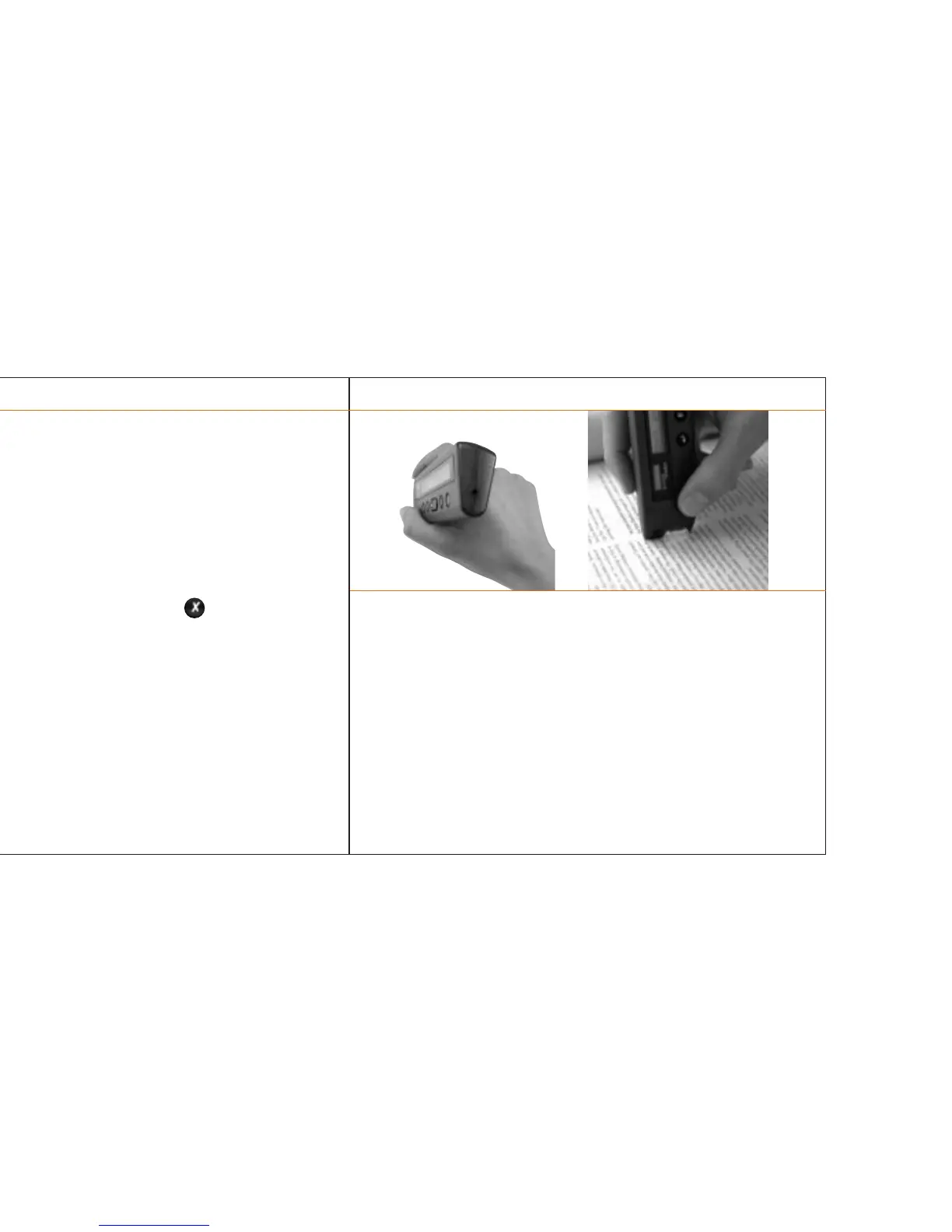
> Following activation, place the wedge-shaped head of the pen firmly on the
document, just in front of the text to be scanned. Make sure that the rubber
roller in the scanning head is also pressed against the surface. A red light will
shine on the text.
> Move the Pocket Reader smoothly over the line you want to scan.
> As soon as you lift the Pocket Reader from the paper, the last few words of
the line you just scanned will appear in the display window. A blinking cursor
in the window marks the current position.
> You can later transfer the text you have stored to the PC or Mac™ for further
processing.
Activating the Pocket Reader
Depress for about one second, until a red light flashes in the
scanning head.
Immediately after activation, the display window indicates available text
memory and battery power and shows the text last stored in the Pocket
Reader.
Emergency measures
Should inconsistencies arise in the flash EPROM of your Pocket Reader (e.g.,
after a power failure while you were storing or deleting text) and the Pocket
Reader is no longer operational, you can call up the configuration menu directly
while activating your Pocket Reader by depressing the key at the same time.
In the configuration menu, you then need to erase the entire memory.
Deactivating the Pocket Reader
Depress briefly.
The Pocket Reader will also switch off automatically after two minutes of
inactivity.
The Pocket Reader / 8
The Pocket Reader / 9



 To Next Page