EasyManua.ls Logo

Siemens RDG200T Series - User Manual

Siemens RDG200T Series
2 pages
Print Icon
To Next Page IconTo Next Page
Loading...
Operating Instructions
en
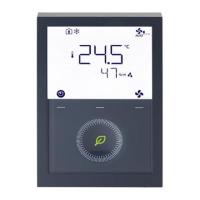
RDG200T..
RDG260T..
RDG2..T – Room thermostat allowing users to set ideal temperature. The thermostat offers the
operating modes Comfort, Economy and Protection.
In addition, it can operate in Auto mode as per a schedule via local.
The fan operates either in Auto mode or at the selected speed in Manual mode.
Users can either use the factory settings or adjust settings as desired.
Main display Operating mode
Operating mode selection *
Holiday mode
Scheduler Protection mode
Fan speed selection Economy mode
Escape
Comfort mode
Delete schedule
Cooling mode
Confirm parameters
Electric heater active
Number of schedules
Heating mode
Scheduler mode
Parameter
Manual changeover
Digits for setpoint display
Auto mode
Time bar for schedule
Temporary timer
Additional user information, such as time of day Fault
Morning: 12-hour format; Afternoon: 12-hour format
Button lock
Degrees Celsius or Fahrenheit
Condensation in room
(dewpoint sensor active)
Value with thermometer: Digits for room temperature display
Automatic fan
Operating mode button * Fan mode button Fan speed I
Rotary knob
Fan Speed II
Protection hospitality mode or scheduler button
Fan Speed III
* When P002 = 3, the icon is displayed as and the button can be used to switch unit between °C and °F. This function is only
available from product index C or a higher version. (scan the above QR code for the latest version info).
Changing the room temperature
Turn the rotary knob clockwise to increase, or counterclockwise to decrease the current room
temperature setpoint.
Note: The setting range is 5...40 °C; it can be limited by parameters P013 and P016.
(for parameter settings, see Control parameters on page 2).
Adjusting the fan speed
Speed I
Press the right button repeatedly until the desired fan mode is reached.
In Auto mode , the fan speed is automatically selected by the thermostat
depending on setpoint and current room temperature.
In Manual mode, the fan operates independently and runs at the speed set by the
user: speed I / speed II / speed III.
Speed II
Speed III
Changing the operating mode
Comfort mode
Economy mode Protection mode Auto mode
1. Comfort mode
In Comfort mode, the thermostat maintains the room temperature at the setpoint which can be adjusted
with the rotary knob.
2. Economy mode
In Economy mode, the thermostat maintains the room temperature at a lower or higher setpoint, thus saving
energy and money.
The thermostat can be set to Economy mode either by pressing the operating mode button if enabled
(P002 = 2), or via an external signal (switch) such as keycard or presence detector.
The Economy setpoints are factory-set to 15 °C for heating and 30 °C for cooling. They can be adjusted via
parameters P019 and P020 (for parameter settings, see Control parameters on page 2).
3. Protection mode
In Protection mode, the thermostat stops operating. However, if the room temperature drops below 8 °C,
heating is switched on to protect the room against frost.
The thermostat switches to Protection mode when the window contact (local) is activated.
The setpoints for Protection mode can be changed by your HVAC installer if desired:
Changes made by installer: Frost protection: _________ ˚C Heating protection: __________˚C
4. Auto mode
In Auto mode, the thermostat automatically switches over between Comfort and Economy mode as per the
local schedule (enabled via P005).
If no schedule is available, Comfort replaces Auto.
Important: If setpoints are set to Off, there is no protective heating or cooling function. Risk of frost!
Reminder to clean filter, display of external faults
FIL **
AL1 **
AL2 **
AL3 **
This message reminds you to clean the filter on your HVAC equipment.
It appears after _______ "fan operating hours" and disappears when the thermostat is
manually set to Protection. These fault messages tell you an external fault has occurred **:
AL1 : _______________________ AL2 : __________________________
AL3 : _______________________
** Needs to be configured by HVAC installer
Scheduler
Set schedule
Press button once and then turn the rotary knob or press button continuously to select programming
mode PROG.
Press button once to enter scheduler mode .
Turn the rotary knob to select the weekday to be set, then press button once.
Turn the rotary knob to view existing schedules, then press button once to select the schedule that need
to be edited.
Comfort mode setting of selected schedule and icons and are displayed, then press button once.
The start time for Comfort flashes and can be changed by turning the rotary knob.
Press button once to confirm the adjusted value and enter the Economy mode setting for the schedule.
Icons and are displayed, then press button once. The start time for Economy flashes and can be
changed by turning the rotary knob.
Press button once to confirm the adjusted value. Then users can view other schedules by turning the
rotary knob and enter other schedule settings (same as edited schedule).
Note: User can press button to delete any schedule or (Esc) to cancel the change. The maximum number of set schedule is
three per day.
Set TIME
Press button once and then turn the rotary knob or press button continuously to select programming
mode TIME.
Press button once and then turn the rotary knob to select time format (12H).
Press button once and then turn the rotary knob to select AM or PM.
Press button once and enter the hour setting.
The hour value flashes and can be changed by turning the rotary knob.
Press button once to confirm the adjusted value and enter the minutes setting.
Repeat the steps as for the hour. Note: When time format is 24 h, AMPM is not displayed.
Question and Answer IconNeed help?

Do you have a question about the Siemens RDG200T Series and is the answer not in the manual?

Summary

Thermostat Interface and Basic Functions

Main Display Overview

Key information and icons presented on the thermostat's main screen.

Operating Mode Selection

How to choose between Comfort, Economy, Protection, and Auto modes.

Fan Speed Adjustment

Controlling fan operation between manual speeds and automatic selection.

Accessing Scheduler Functions

Navigating to the schedule setup and time setting menus.

Detailed Operating Mode Descriptions

Comfort Mode

Maintains the room temperature at the user-setpoint.

Economy Mode

Adjusts setpoints to save energy while maintaining comfort.

Protection Mode

Stops normal operation, offering frost protection below 8°C.

Auto Mode

Automatically switches between Comfort and Economy based on schedule.

Schedule and Time Configuration

Setting Up a Daily Schedule

Programming preferred temperature settings for different times of day.

Configuring Time Settings

Setting the current time, date, and time format (12/24 hour).

Date, Holiday, and Lock Settings

Setting the Date and Year

Configuring the current calendar date and year.

Activating Holiday Mode

Setting an extended period of reduced operation for absences.

Button Lock Functionality

Enabling or disabling keypad lock to prevent unintended changes.

Installer Commissioning and Parameters

Accessing Control Parameters

Procedure for installers to adjust advanced operational settings and optimize performance.

Overview

This document describes the RDG200T/RDG200T-OT thermostat, a device designed for room temperature control in various HVAC applications.

Function Description

The RDG200T/RDG200T-OT thermostat is a versatile room thermostat capable of controlling heating and cooling systems, including 2-pipe and 4-pipe fan coil units, universal applications, and heat pump systems. It supports various control sequences, such as cooling only, heating only, and automatic changeover between heating and cooling. The thermostat offers different operating modes: Auto, Comfort, Economy, and Protection, allowing users to optimize energy consumption and comfort levels.

The device features a local scheduler, enabling time-based programming for different operating modes throughout the day and week. This scheduler can be enabled or disabled via parameter P005. The thermostat can also be operated manually, overriding scheduled settings.

Fan control is an integral part of the thermostat's functionality. It supports automatic fan speed control based on temperature demand or manual selection of fan speeds (low, medium, high). The fan operating selector (P003) allows configuration for Auto, Manual, or Auto-Protection modes. A "Fan disable" option is also available in Comfort mode (P029).

The thermostat includes a "Protection" mode, which is activated when the room is unoccupied or during specific scheduled periods. In this mode, the thermostat maintains a minimum temperature (e.g., 5 °C for heating) or a maximum temperature (e.g., 35 °C for cooling) to prevent freezing or overheating, thereby protecting the building and its systems.

Additional features include:

  • Setpoint concept (P010): Users can choose between a Comfort concept or an Energy saving concept, influencing the available setpoint ranges.
  • Measured value correction (P006): Allows for calibration of the displayed room temperature.
  • Additional display information (P009): Configurable to show °C and °F, time of day (12h or 24h format).
  • Summer time function (P017): Supports automatic adjustment for daylight saving time in various regions.
  • Keypad lock (P028): Provides security by locking the buttons, either manually or automatically after a period of inactivity.
  • Buzzer function (P030): Provides audible feedback for button presses and alarms.
  • Language selection (P031): Supports multiple languages for the user interface.

Important Technical Specifications

  • Control Sequence (P001):
    • 2-pipe: Cooling only, Heating only.
    • 4-pipe: Heating and cooling.
    • Universal applications: Heating and cooling.
  • Operating Modes (P002):
    • Auto - Comfort - Protection (with local scheduler).
    • Auto - Comfort - Economy - Protection.
    • Auto (Comfort) - Protection Hospitality.
    • Auto - Protection (with local scheduler).
    • Auto - Manual.
  • Unit (P004): °C or °F.
  • Setpoint Ranges:
    • Comfort basic setpoint (P011): 5...40 °C (41...104 °F).
    • Comfort setpoint minimum (P013): 5 °C (41 °F).
    • Comfort setpoint maximum heating (P014): P013+1 K...P015-1 K.
    • Comfort setpoint minimum cooling (P015): P014+1 K...P016-1 K.
    • Comfort setpoint maximum (P016): P013+1 K...40 °C (104 °F) or P015+1 K...40 °C (104 °F).
    • Economy heating setpoint (P019): 5 °C...P020.
    • Economy cooling setpoint (P020): P019...40 °C.
  • Temperature increments: All temperature settings are in increments of 0.5 °C (except P006, which is in 0.1 °C).

Usage Features

The thermostat is designed for user-friendly operation with a rotary knob and several buttons.

  • Display: Shows room temperature, setpoint, operating mode, fan speed, and other relevant information.
  • Rotary knob: Used for adjusting setpoints, navigating menus, and changing parameter values.
  • Buttons:
    • Left/Right buttons: Used for menu navigation, selecting options, and confirming settings.
    • Scheduler button: Accesses the scheduler programming mode.
    • Fan button: Controls fan speed.
    • Operating mode button: Switches between Auto, Comfort, Economy, and Protection modes.
  • Scheduler programming: Allows users to set specific operating modes for different time periods (e.g., Comfort during working hours, Economy at night). Up to 8 switching points per day can be programmed.
  • Date and Time setting: Users can set the current date, time, and year, with automatic adjustment for summer time if enabled.
  • Holiday mode (AWAY): Allows users to set a specific period during which the thermostat operates in a reduced energy mode (e.g., Protection mode).
  • Button lock: Prevents unauthorized changes to settings. It can be manually activated or configured for automatic activation.
  • Parameter list: A comprehensive list of parameters (P001 to P032) allows for detailed configuration of the thermostat's behavior. These parameters can be accessed and adjusted by qualified HVAC installers.

Maintenance Features

  • Commissioning (by qualified HVAC installer): The thermostat can be adapted to specific HVAC systems and optimized for control performance by adjusting various control parameters. This process typically involves accessing the parameter setting mode, which may require a password if protection is enabled.
  • Error messages: The thermostat can display error messages (e.g., "FIL" for sensor fault, "AL1" for minimum temperature alarm, "AL2" for maximum temperature alarm) to indicate potential issues with the system or the thermostat itself. These messages help in diagnosing and troubleshooting problems.
  • Parameter adjustment: The ability to adjust parameters like "Measured value correction" (P006) allows for fine-tuning the thermostat's accuracy over time.
  • Firmware updates: While not explicitly detailed in this excerpt, devices of this nature often support firmware updates to introduce new features or address bugs.
  • Password protection: The parameter setting mode can be protected by a password, ensuring that only authorized personnel can make critical configuration changes. If the password is mistyped multiple times, the thermostat locks, preventing further attempts for a period.

The RDG200T/RDG200T-OT thermostat is a robust and flexible solution for room climate control, offering a balance of user convenience, energy efficiency, and system protection.

Siemens RDG200T Series Specifications

General IconGeneral
BrandSiemens
ModelRDG200T Series
CategoryThermostat
LanguageEnglish

Related product manuals