EasyManua.ls Logo

Siemens SEM3 - User Manual

Siemens SEM3
8 pages
Print Icon
To Next Page IconTo Next Page
Loading...
!
DANGER
Hazardous Voltage.
Will cause death or serious injury.
Turn off and lock out all power before working on
this equipment.
Installation
If the SEM3 equipment is used in a manner not specied by
Siemens, the protection provided by the equipment may be
impaired.
During normal operation of the SEM3 meter, hazardous
voltages are present on its voltage leads, and throughout
the connected potential transformer (PT), digital (status)
input, control power and external I/O circuits. PT circuits
are capable of generating lethal voltages and currents with
their primary circuit energized. Follow standard safety
precautions while performing any installation or service
work (i.e. removing PT fuses).
The voltage leads to the meter should not be user‐accessible
after installation.
Do not use digital output devices for primary protection
functions. These include applications where the devices
perform energy limiting functions or provide protection of
people from injury. Do not use the SEM3 in situations where
failure of the devices can cause injury or death, or cause
sufcient energy to be released that can start a re. The
meter can be used for energy management functions.
Do not HIPOT/Dielectric test the digital (status) inputs, digital
outputs, or communications terminals. Refer to the label on
the SEM3 meter for the maximum voltage level the device
can withstand.
The SEM3 metering system offers a range of hardware
options that affect input ratings. Use only parts and
assemblies that are made specically for use with the SEM3
system. Failure to do so could permanently damage the
meter. This document provides installation instructions
applicable to each hardware option.
For more detailed installation information refer to full SEM3
Manuals available at usa.siemens.com/sem3.
Environmental ratings:
Temperature to 14°F to 149°F (‐10°C to 65°C)
Measurement Category III (CAT III)
Mains Supply Voltage Fluctuations up to 10% less than
nominal low range the mains supply and 10% more than
nominal high range of mains power supply
CT Overvoltage Category IV (Cat IV)
Installation and maintenance of the SEM3 metering system
should only be performed by qualied, competent personnel
that have appropriate training and experience with high
voltage and current devices. The meter must be installed in
accordance with all local and national electrical codes.
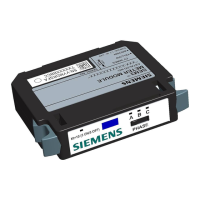
SEM3™ ‐ Embedded Micro
Metering Module™
Quick Reference Guide and
Installation Instructions
usa.siemens.com/SEM3
Scan QR Code
for more
information

Other manuals for Siemens SEM3

Question and Answer IconNeed help?

Do you have a question about the Siemens SEM3 and is the answer not in the manual?

Summary

Installation and Safety

Hazardous Voltage Warning

Crucial safety warning regarding hazardous voltage and required precautions.

Installation and Environmental Requirements

Guidelines for qualified personnel, electrical codes, and environmental operating conditions.

System Wiring and Protection

Input Protection and Conductors

Details on input protection, conductor sizing, and terminal torque specifications.

Disconnecting Device and CT Installation

Requirements for emergency disconnects and proper installation of Current Transformers (CTs).

SEM3 System Components

System Diagram and Component Overview

Visual representation and description of the SEM3 system's controller, modules, racks, CTs, and cables.

System Configuration and Setup

Controller and Network Configuration

Steps for configuring the controller, assigning static IP addresses, and verifying network connection.

Meter Module and CT Configuration

Instructions on setting up meter modules and configuring CT ratios via the controller.

Meter Addressing and Rack Setup

Meter Racks and Address Ranges

Explains rack configurations and how to assign addresses using dip/rotary switches.

Meter Module Internal Address Mapping

Details the address ranges for meter modules based on rack type and switch settings.

System Management and Settings

Login, User Management, and System Settings

Covers default login, user roles, and system configuration options like IP and refresh intervals.

Branch Configuration, Real-time Data, and Diagnostics

Customization of meters, viewing real-time data, and system diagnostics.

Summary

Installation and Safety

Hazardous Voltage Warning

Crucial safety warning regarding hazardous voltage and required precautions.

Installation and Environmental Requirements

Guidelines for qualified personnel, electrical codes, and environmental operating conditions.

System Wiring and Protection

Input Protection and Conductors

Details on input protection, conductor sizing, and terminal torque specifications.

Disconnecting Device and CT Installation

Requirements for emergency disconnects and proper installation of Current Transformers (CTs).

SEM3 System Components

System Diagram and Component Overview

Visual representation and description of the SEM3 system's controller, modules, racks, CTs, and cables.

System Configuration and Setup

Controller and Network Configuration

Steps for configuring the controller, assigning static IP addresses, and verifying network connection.

Meter Module and CT Configuration

Instructions on setting up meter modules and configuring CT ratios via the controller.

Meter Addressing and Rack Setup

Meter Racks and Address Ranges

Explains rack configurations and how to assign addresses using dip/rotary switches.

Meter Module Internal Address Mapping

Details the address ranges for meter modules based on rack type and switch settings.

System Management and Settings

Login, User Management, and System Settings

Covers default login, user roles, and system configuration options like IP and refresh intervals.

Branch Configuration, Real-time Data, and Diagnostics

Customization of meters, viewing real-time data, and system diagnostics.

Overview

The Siemens SEM3™ - Embedded Micro Metering Module™ is a comprehensive system designed for energy management functions, providing detailed metering capabilities and system control. It is suitable for a wide range of applications, from single-phase monitoring to multi-pole circuit breaker configurations.

Function Description:

The SEM3 metering system consists of a controller, meter modules, meter racks, and current transformers (CTs). The controller acts as the central interface for system setup, managing system settings, CT and PT ratios, alarm settings, communications settings, and passwords via a web page interface. Meter modules are single-phase meters that connect to appropriately sized CTs and snap into meter racks. These racks have hard-coded module addresses for communication with the controller. The system supports various configurations, including multi-pole circuit breakers, where meter modules must be mounted contiguously. The controller gathers data from the meter modules, which measure energy consumption, and provides real-time data, alarm status, and historical information. The system can integrate with supervisory systems like WinPM.Net, Power Manager, and SCADA/Building Management Systems using Modbus protocol.

Important Technical Specifications:

  • Environmental Ratings:
    • Temperature: 14°F to 149°F (-10°C to 65°C)
    • Measurement Category: CAT III
    • Mains Supply Voltage Fluctuations: Up to 10% less than nominal low range and 10% more than nominal high range of mains power supply.
    • CT Overvoltage Category: CAT IV
  • Input Protection: The controller has five color-coded and labeled leads for phase and ground connections. All phase connections require protection by a 3 Amp fuse or circuit breaker (e.g., Type CC fuse rated at 3 Amp, Time-Delay, 200 KAIC system at 480 volts).
  • Wiring: Minimum 14 AWG, 600 V min. insulated wiring for Line voltages and Neutral. Connector torque rating for wiring terminals is 5 IN-LBS.
  • Current Transformers (CTs): Specifically designed for the SEM3 system with 100 mA output and self-protecting. No shorting blocks are required. Standard CT wire length is 6 feet, retaining accuracy up to 100 feet using 18 AWG twisted pair wire. UL Listed Energy Monitor Current Transformers are approved. CT primary rating should be equal to or greater than the load.
    • SEM3 Solid Core CTs (50:0.1 to 1200:0.1): US2:SEM3SCCT50, US2:SEM3SCCT125, US2:SEM3SCCT250, US2:SEM3SCCT400, US2:SEM3SCCT600, US2:SEM3SCCT800, US2:SEM3SCCT1200.
  • Accuracy: Meter modules are available in two accuracy levels: 1% for standard accuracy (ANSI C12.20/0.5) and 0.2% for high accuracy (ANSI C12.20/0.2).
  • Communication Cables: CAT 5 cables are used for communication between the controller and meter racks, supporting up to 8 racks.
  • Meter Racks: Available in 3, 6, 9, 15, and 21 module configurations. Dip and rotary switches on the racks assign unique addresses for the meter modules.
  • Controller Connectivity: Ethernet / Modbus TCP port for PC connection. Isolated RS485C for Modbus TCP/IP. Two energy pulse inputs and one energy pulse output.
  • Maximum Poles: Some applications allow for more than 45 poles in one enclosure by adding a second controller, monitoring up to 90 poles.

Usage Features:

  • Installation: Installation and maintenance must be performed by qualified personnel in accordance with all local and national electrical codes. Hazardous voltages are present during operation. Always turn off and lock out all power before working on the equipment. PT fuses should be removed during service work. The voltage leads to the meter should not be user-accessible after installation.
  • Safety Precautions: Do not use digital output devices for primary protection functions or in situations where device failure could cause injury, death, or fire. Do not HIPOT/Dielectric test digital inputs/outputs or communications terminals.
  • Disconnecting Device: A switch or circuit breaker is required as a disconnecting device for the meter, clearly marked, and mounted near the meter in an adequately ventilated area, ensuring easy operation.
  • CT Installation: CTs must be securely fastened within the gear to prevent sliding to live terminals and damage. CTs should not exceed 75% of the wiring space of any cross-sectional area in a panel board, as per NEC.
  • System Configuration (Web Interface):
    • Login Page: Default username "admin", password "sem3". Usernames and passwords are case sensitive and can be customized.
    • System Settings: Configure IP address (Modbus TCP), RTU slave configuration (Modbus RTU), real-time refresh interval, device description, panel configurations (demand sub interval, sub interval length, voltage mode, PT primary voltage).
    • Global Settings: Apply settings across all meters in the system. Customize individual phase alarms for single-pole meters.
    • Multi-pole Circuit Breaker Configuration: Drag and drop meter modules into meter configurations (1, 2, or 3 pole). Modules must be contiguous in racks for multi-pole configurations.
    • Branch Meter Configuration: Customize configured meters, set custom alarms (overriding global alarms), and name individual meters.
    • Real-time Data: Overview of alarm status, clearing individual meter alarms, and displaying real-time information.
    • User Profile: Modify user details (except User ID and Access Level).
    • User Management: (Supervisor access only) Add, remove, and modify user accounts. Three access levels: Supervisor (full control), Controller (data view, clear alarms), Observer (data view only).
    • Diagnostics: Access for Supervisor users.
  • Meter Module Configuration: Set phase dip switch (A, B, or C) on top of the module to match the CT metering phase. LEDs indicate phase position.
  • IP Address Assignment: Connect the controller to a PC via Ethernet/Modbus TCP. Assign a static IP address to the PC within the same range as the SEM3 controller (default: 192.168.1.65). Ping the controller to verify connection.
  • Meter Module Internal Addresses: Dip and rotary switches on the racks assign unique addresses for meter modules. Duplication of addresses will result in an error.

Maintenance Features:

  • The system provides firmware version and serial number of the controller for maintenance and tracking.
  • The web interface allows for saving and resetting data changes.
  • The diagnostic page assists in troubleshooting and system health checks.

Siemens SEM3 Specifications

General IconGeneral
BrandSiemens
ModelSEM3
CategoryTransformer
LanguageEnglish

Related product manuals