EasyManua.ls Logo

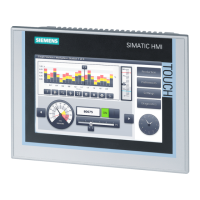
Siemens SIMATIC HMI KP700 Comfort - User Manual

Siemens SIMATIC HMI KP700 Comfort
250 pages
Print Icon
To Next Page IconTo Next Page
Loading...
___________________
___________________
___________________
___________________
___________________
___________________
___________________
___________________
___________________
___________________
___________________
___________________
SIMATIC HMI
HMI devices
Comfort Panels
Operating Instructions
07/2017
A5E36770603
-AB
Preface
Overview
1
Safety instructions
2
Mounting and connecting the
HMI device
3
Commissioning the device
4
Commissioning a project
5
Operating a project
6
Maintenance and care
7
Technical information
8
Technical Support
A
Markings and symbols
B
Abbreviations
C

Table of Contents

Questions and Answers

  • P
    Paul WalkerAug 3, 2025
    What to do if Siemens Control Panel says system card is missing?
    • D
      Donna TuckerAug 3, 2025
      If your Siemens Control Panel indicates that the system card is missing, the possible causes include: no system memory card inserted, a defective system memory card. To address this, first, insert a SIMATIC HMI Memory Card ? 2 GB. If the issue persists, replace the defective system memory card with a new SIMATIC HMI Memory Card. You can continue working without the service concept by acknowledging the error message each time the HMI device is started. You can use the "Do not show this message again" option to suppress the error message. To reactivate the service concept, you have to insert an intact system memory card.

Summary

Overview of SIMATIC HMI Comfort Panels

SIMATIC HMI Comfort Panel Product Description

Details the features and models of the SIMATIC HMI Comfort Panels product line.

Safety Instructions for SIMATIC HMI Devices

General Safety Instructions

Provides essential safety guidelines for operating and installing HMI devices.

HMI Device Security Management

Covers industrial security and notes on protecting administrator accounts.

Mounting and Connecting SIMATIC HMI Devices

HMI Device Installation Preparation

Ensures package completeness, checks operating conditions, and prepares cutout.

Mounting the SIMATIC HMI Device

Provides instructions on mounting the HMI device using mounting clips.

Connecting SIMATIC HMI Device Components

Covers connection sequence, power, PC, controller, USB, printer, and audio connections.

Commissioning SIMATIC HMI Devices

Operating the SIMATIC HMI Device

Details system key reference, value entry, and operating the device.

Control Panel Settings Configuration

Guides on desktop, programs, security, Control Panel functions, and general settings.

Enabling Network Protocols and Configuring Server Options

Steps for enabling PROFINET, NTP, network operation, IP settings, and servers.

Service and Commissioning Functions

Procedures for backup, restore, OS update, project loading, and automatic backup.

Editing IP Addresses and Communication Connections

Guides for assigning IP addresses, device names, and configuring communication.

Commissioning a Project for SIMATIC HMI

Transferring Projects with WinCC

Steps for configuring data channels, transfer modes, starting, and testing projects.

Backup and Restore Operations

General info on backup/restore, power failure, compatibility, and data handling.

Operating a SIMATIC HMI Project

Maintenance and Care of SIMATIC HMI Devices

Technical Information for SIMATIC HMI Devices

Technical Support for SIMATIC HMI

Troubleshooting Common HMI Errors

Provides remedies for common error messages like 'System card missing'.

Siemens SIMATIC HMI KP700 Comfort Specifications

General IconGeneral
Display Size7 inches
Resolution800 x 480 pixels
TouchscreenYes
Operating SystemWindows CE
Supply voltage24 V DC
MountingPanel mount
Color displayYes
Display TypeTFT
Communication InterfacesEthernet
Interfaces1 x Ethernet, 1 x USB
Operating Temperature0 to 50 °C
Storage temperature-20 to 60 °C
Protection ClassIP65 (front), IP20 (rear)
Protection TypeNEMA 4X (front)
Relative humidity10 to 90 %

Related product manuals