en Basic settings
40
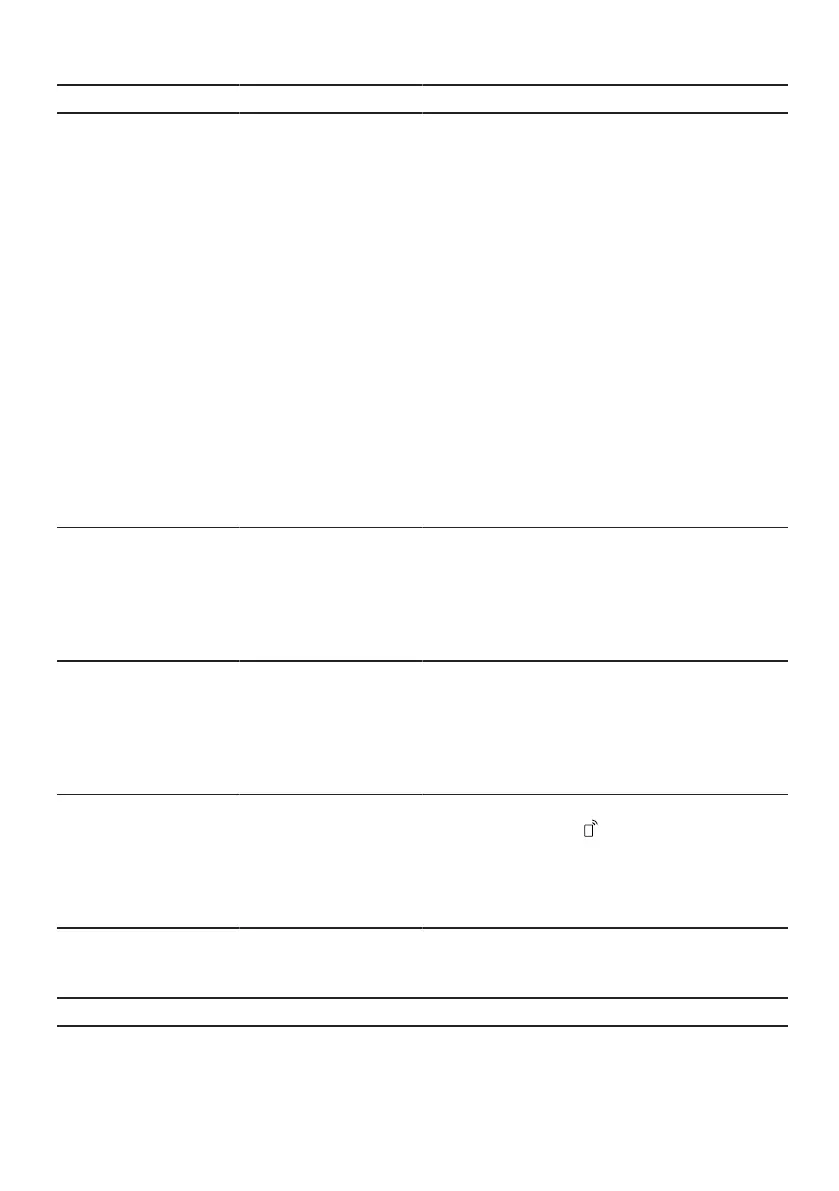
Basic setting Selection Description
Door Opening Single push
1
Child-proof lock
Double push
¡ With the setting "Single push", open
the appliance door by pressing on
the upper middle section of the ap-
pliance door once.
¡ The electric childproof lock is activ-
ated with the setting "Child-proof
lock". You open the appliance door
by pressing on the upper middle
section of the appliance door twice.
Automatic door opening is deactiv-
ated during the drying phase.
¡ With the setting "Double push",
open the appliance door by press-
ing on the upper middle section of
the appliance door twice. The set-
ting for automatic door opening
during the drying phase remains
unaffected.
→"Childproof lock", Page11
autoOpen Dry off
On in all pro-
grammes
On with Eco 50°
1
Activate or deactivate automatic open-
ing of the appliance door during the
drying phase.
If the function has been activated, the
running time may increase.
→"autoOpen Dry", Page12
Wi-Fi on
off
Switch the wireless network connec-
tion on or off.
The basic setting "Wi-Fi" is only avail-
able once the appliance is connected
to the HomeConnect app.
→"HomeConnect ", Page41
Remote Start off
Manual
Permanent
Activate or deactivate
→"Remote Start ", Page42.
This basic setting is not available until
after you have connected the device
with the HomeConnect app.
→"HomeConnect ", Page41
Greeting on
1
off
Switch display of the brand name logo
on or off when the appliance is
switched on.
1
Factory setting (may vary according to model)



 To Next Page