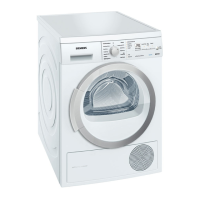
en Getting to know your appliance
24
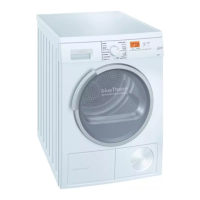
Display panel
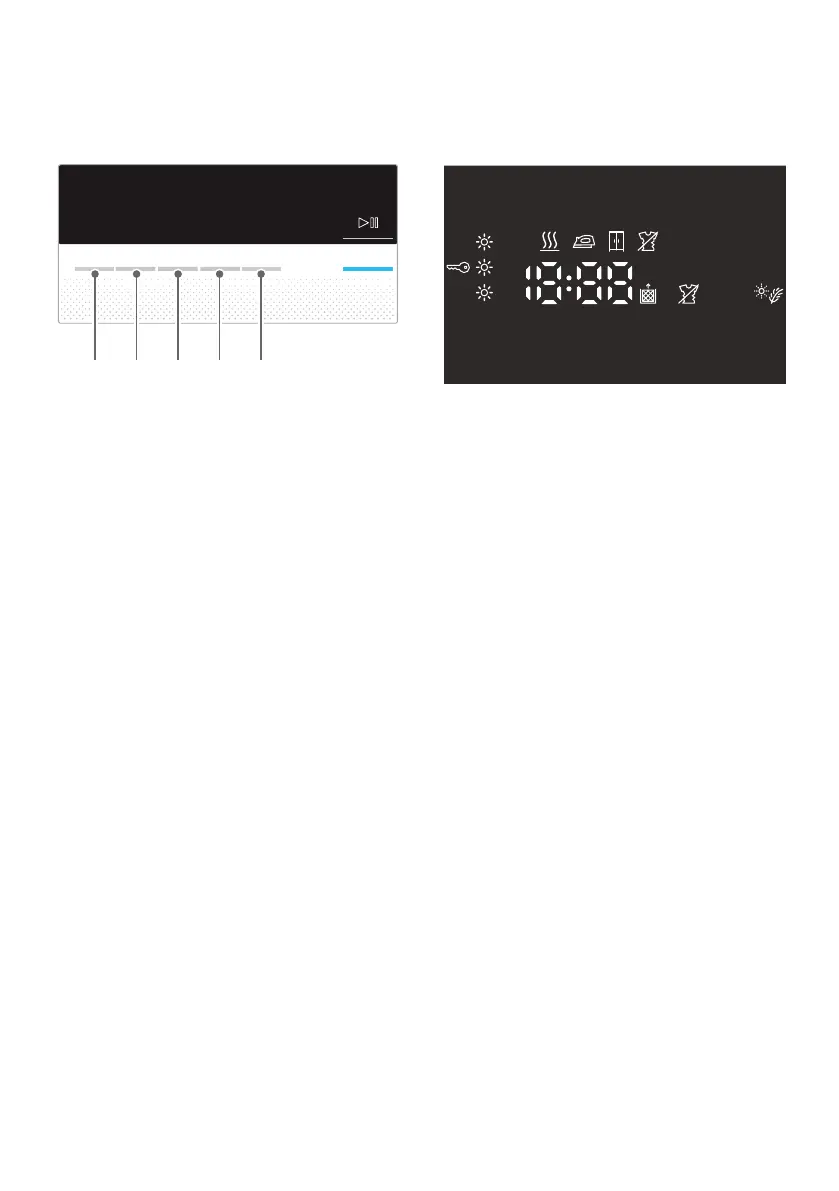
Buttons in the display panel
For a detailed description of all buttons,
see ~ Page 28 onwards.
Display panel
( Select the degree of dryness.
0 Select the drying time.
8 Select the Ready in time.
@ Select Anti-Crease.
H Select Low-Heat Drying.
#
+
{ Fine adjustment of the
dryness level.
Ý Anti-crease selected.
w Childproof lock selected.
μ Low-Heat Drying selected.
Ü Start or Pause selected.
3 h Program delay in hours
when "Ready in" time is
selected.
1:27 Expected program duration
in hours and minutes.
e Ø » Ý “Ÿš - ˜ -
Program progress:
Wet; Iron Dry; Cupboard
Dry; Anti-Crease; End and
Pause.
¥ Clean the fluff filters;
~ Page 30.


 To Next Page