en Faults and what to do about them
34
3 Faults and what to do about them
Faults and what to do about them
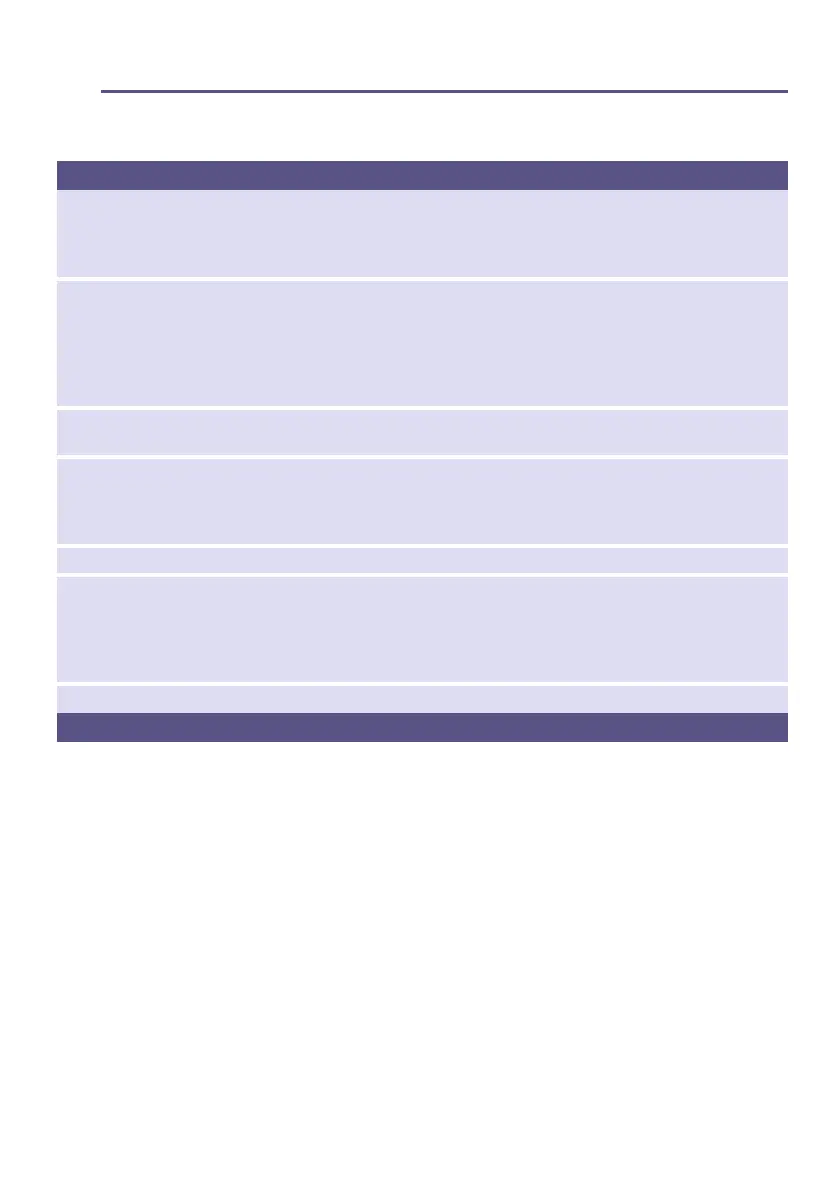
Faults Cause/remedy
¥ on the display panel. ■ Clean the fluff filter. Select the Start button to reset the displayed indication
and then select the Start button again to restart the appliance if necessary.
■ Check if exhaust air duct is blocked or bent. Clean the exhaust air duct
~ Page 33. If necessary, clean the insect screen on the exhaust air pipe.
Dryer does not start. ■ Mains plug plugged in or fuse checked?
■ Start button selected?
■ Dryer door open? Close the door.
■ Program selected? Select a program.
■ Childproof lock activated? Deactivate the childproof lock.
■ "Ready in" time selected? Program starts after a delay.
Display panel goes off
and Start button flashes.
Not a fault. Energy saving mode is active ~ Page 13.
Programme terminates
shortly after starting.
■ Ambient temperature greater than 5 °C?
■ Is the appliance loaded with the laundry?
■ Load too small for selected programme? Use timed programme.
■ Loaded laundry dry?
The door opens by itself. Push the door closed until you hear it engage.
Creasing. ■ Creasing occurs when you have exceeded the maximum load or selected
the wrong program for the type of fabric. All the required information can
be found in the program table.
■ Remove clothes immediately after drying. Creasing may occur if they are
left in the drum.
Water is leaking out. Not a fault. The dryer may be positioned on an incline. Level the dryer.
* depending on the model


 To Next Page