Sierra Wireless
®
MG90 Quick Start Guide
Page 1
© 2018 Sierra Wireless All Rights Reserved PN 5303716 Rev. 1
What’s In The Box
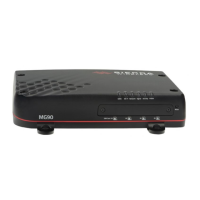
• Sierra Wireless MG90 High Performance Multi-Network Vehicle Router
• Locking DC power and I/O cable
• SMA hand wrench, used for hand-tightening antenna connectors
• Serial Number and IMEI reference label. Apply the label in a visible location when the router is installed in a vehicle.
• This Quick Start Guide, which provides instructions for quickly getting your router configured and connected.
STEP 1: Install the SIM Cards
1. Use a #1 Phillips screwdriver to remove the SIM card cover.
2. Slide the SIM card(s) into the SIM card slots until they click into place:
• Single LTE radio — Insert SIM in slot A1
• Dual LTE radios— Insert SIMs in slots A1 and B1
3. Re-attach the cover.
STEP 2: Connect and Turn On the Router
Slot A1
1. Use a #1 Phillips screwdriver to remove the SIM card cover.
2. Slide the SIM card(s) into the SIM card slots until they click into place:
• Single LTE radio — Insert SIM in slot A1
• Dual LTE radios— Insert SIMs in slots A1 and B1
3. Re-attach the cover.
1. Connect the
GNSS antenna.
(Use the SMA
wrench for all
antennas.)
2. Connect the cellular
antennas for the first
LTE radio.
3. Connect the Wi-Fi WAN
(Wi-Fi A) antennas.
4. Connect the
Bluetooth antenna
(if applicable).
5. Connect cellular antennas
for the second LTE radio
(if applicable).
6. Connect the Wi-Fi Access Point
(Wi-Fi B) antennas.
7. Use the DC power cable
to connect 7 – 36 VDC, as shown.
8. Connect a PC to the router with an Ethernet
cable (Ethernet port #1 – 4).
Green (GPIO) (Optional)
Black (GND)
Red (Power)
White (Ignition Sense)
Must be connected to vehicle ignition.
Note: Do not power off the MG90 during an
LED ‘chase’ (all LEDs flashing in sequence) as
this indicates a device update is occurring.

 Need help?
 General

 To Next Page