Sierra Wireless
®
LX60 Quick Start Guide
NOTE: Remote ACEmanager access is disabled by default for security. If required, enable it remotely using AirLink Management Service (ALMS) or locally using
ACEmanager (Services > ACEmanager) and change the default password (Admin > Change Password).
© 2018 Sierra Wireless All Rights Reserved PN 5303051 Rev. 1
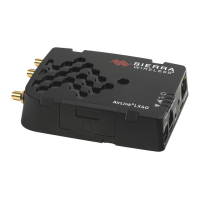
This guide provides instructions for quickly getting your Sierra Wireless
®
AirLink
®
LX60 router configured and connected.
For more information refer to the:
• AirLink LX60 Hardware User Guide
• AirLink LX60 Software Configuration Guide
Both are available for download from the Sierra Wireless web site (source.sierrawireless.com).
STEP 1 Install the SIM Cards
STEP 2 Connect and Turn On the Router
NOTE: If you want to configure all your routers at the same time using ALMS, follow the instructions
on page 2 to register your routers before applying power.
1. Use a #1 Phillips screwdriver to remove the SIM card cover.
2. Orient the SIM card as shown (with the gold contacts facing down).
3. Gently slide the SIM card into the slot until it clicks into place.
4. Re-attach the cover.
1. Connect the Cellular and
Diversity antennas.
Grounding point
4. Connect a Windows
®
computer to the router with an
Ethernet cable. If applicable, connect devices
to the RS-232 port and / or the USB port.
3. Connect 9-36 VDC. To operate the router between 7 – 36 V, after
startup, launch ACEmanager, go to Services > Power Management,
and adjust the low voltage standby settings.
2. Connect the GNSS and Wi-Fi
antennas*
** To operate the gateway, the Ignition Sense must be connected to 7–36 VDC
Green (GPIO) Optional White (Ignition Sense)**
Red (Power)
Black (GND)
* Available only on LX60s
with GNSS and Wi-Fi.
Sierra Wireless strongly recommends that you always ground the chassis using the grounding point
shown below. For more information, refer to the LX60 Hardware User Guide.

 Need help?
 General

 To Next Page