Need help?
Do you have a question about the SIGLENT TECHNOLOGIES SDS1202X-E and is the answer not in the manual?
Essential precautions to prevent injury and instrument damage during operation.
Explains warning labels and symbols used in the manual and on the product.
Steps for inspecting the instrument and preparing it for initial use.
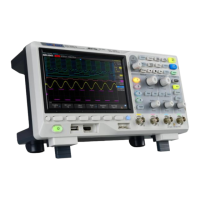
Visual overview and physical measurements of the oscilloscope.
Instructions on adjusting support legs and connecting the power supply.
Detailed description of buttons, knobs, and indicators on the front panel.
Identification and function of ports and connectors on the rear panel.
Configuration of vertical axis parameters like scale, position, and coupling.
Configuration of horizontal axis parameters like time base and position.
Settings for sampling rate, memory depth, and acquisition modes.
Configuration of trigger sources, modes, levels, and types for signal capture.
Instructions for triggering and decoding I2C, SPI, UART, CAN, and LIN protocols.
Performing calculations on waveforms and using measurement cursors.
Using automatic and manual measurements for voltage, time, and delay parameters.
Customizing display appearance like type, color, persistence, and grid.
Saving and loading oscilloscope setups, waveforms, and screen images.
Configuring and using digital channels for mixed-signal analysis.
Connecting and configuring the AWG for signal generation.
Setting up USB, LAN, and WLAN for PC communication.
Managing system status, language, sound, and performing calibration.
Running diagnostic tests for screen, keyboard, and LEDs.
Restoring the oscilloscope to its default factory configuration.
Solutions for problems like no display, unstable waveforms, and incorrect amplitudes.
Resolving problems with PC connection and USB device recognition.
 General
| Brand | SIGLENT TECHNOLOGIES |
|---|---|
| Model | SDS1202X-E |
| Category | Test Equipment |
| Language | English |

 To Next Page