CONTROLLED COPY
Centre for Biological Engineering
Standard Operating Procedure SOP122
Title: Use and Maintenance of Sigma Refrigerated Centrifuge 3-16PK
Location: CBE Laboratory Unit (H21/22)
Version 003 Effective Date: 26
th
June 2018 Review 26
th
June 2020
Written by: Victoria Workman
Page 8 of 22
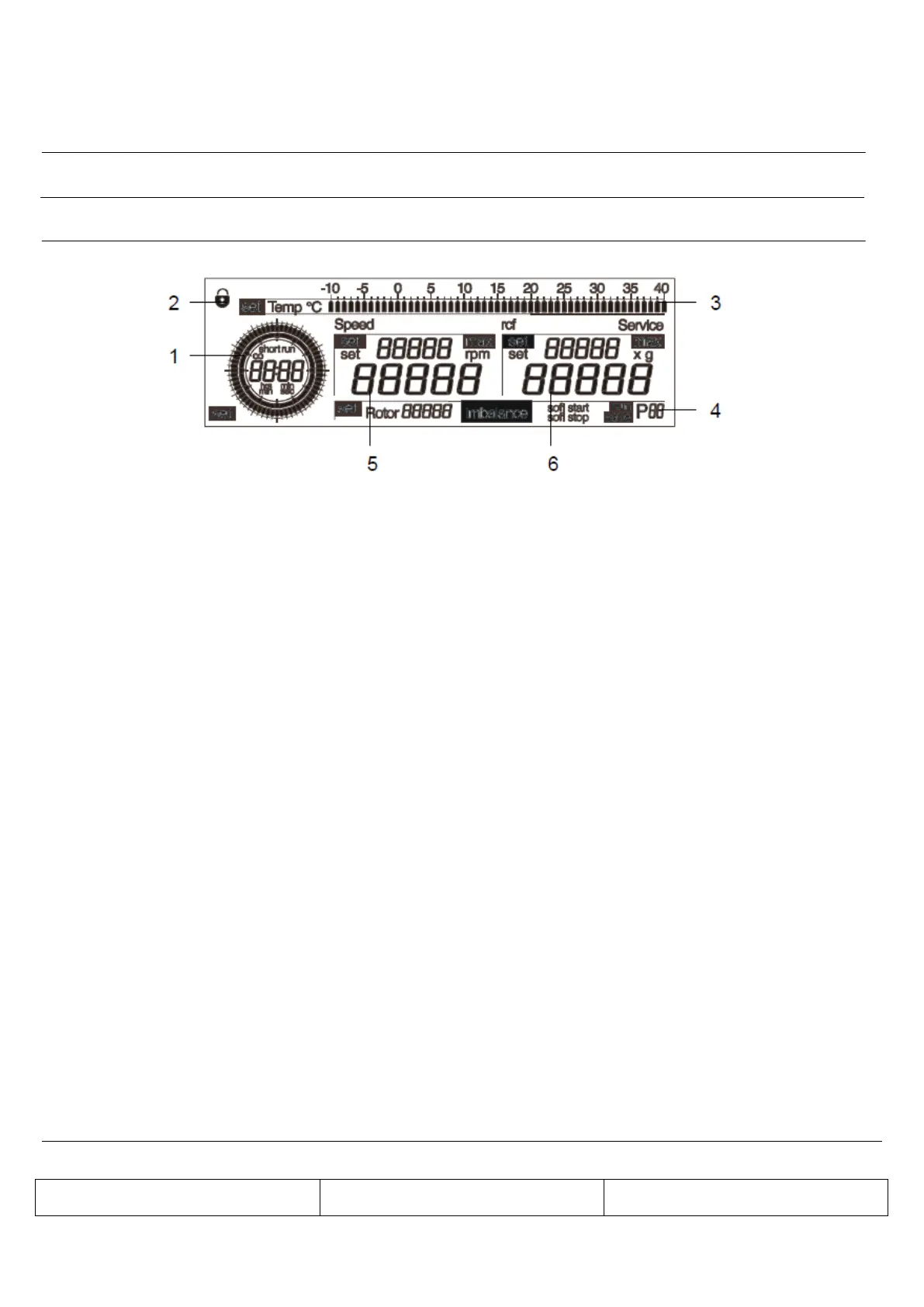
The centrifuge display has the following display fields:
1 Time field
2 "Lock" symbol for lockdown
3 Temperature field
4 Field for rotor selection, imbalance indication, run mode, and program selection
5 Speed field
6 RCF field
5.3.1 Setting the rotor
(i) Turn the left rotary knob until “set” appears in front of the option “Rotor” on the display
(ii) Select the option by pressing or turning the right rotary knob. "Set" will now flash.
(iii) Turn the right rotary knob until the desired rotor number is displayed.
(iv) Press the right rotary knob to confirm the input. If this is not done, the value will be automatically
reset to the last setting.
5.3.2 Setting the time
(i) Turn the left rotary knob until “set” appears in the lower left of the display
(ii) Select the option by pressing or turning the right rotary knob. “Set” will now flash.
(iii) Turn the right rotary knob until the desired duration is displayed.
(iv) Press the right rotary knob in order to confirm the input. If this is not done, the value will be
automatically reset to the last setting.
(v) After 11:59 min, the display changes from “min:sec“ to “hrs:min“. The time can then be changed
in steps of 10 minutes.


 To Next Page