This section describes necessary preparations before using the camera.
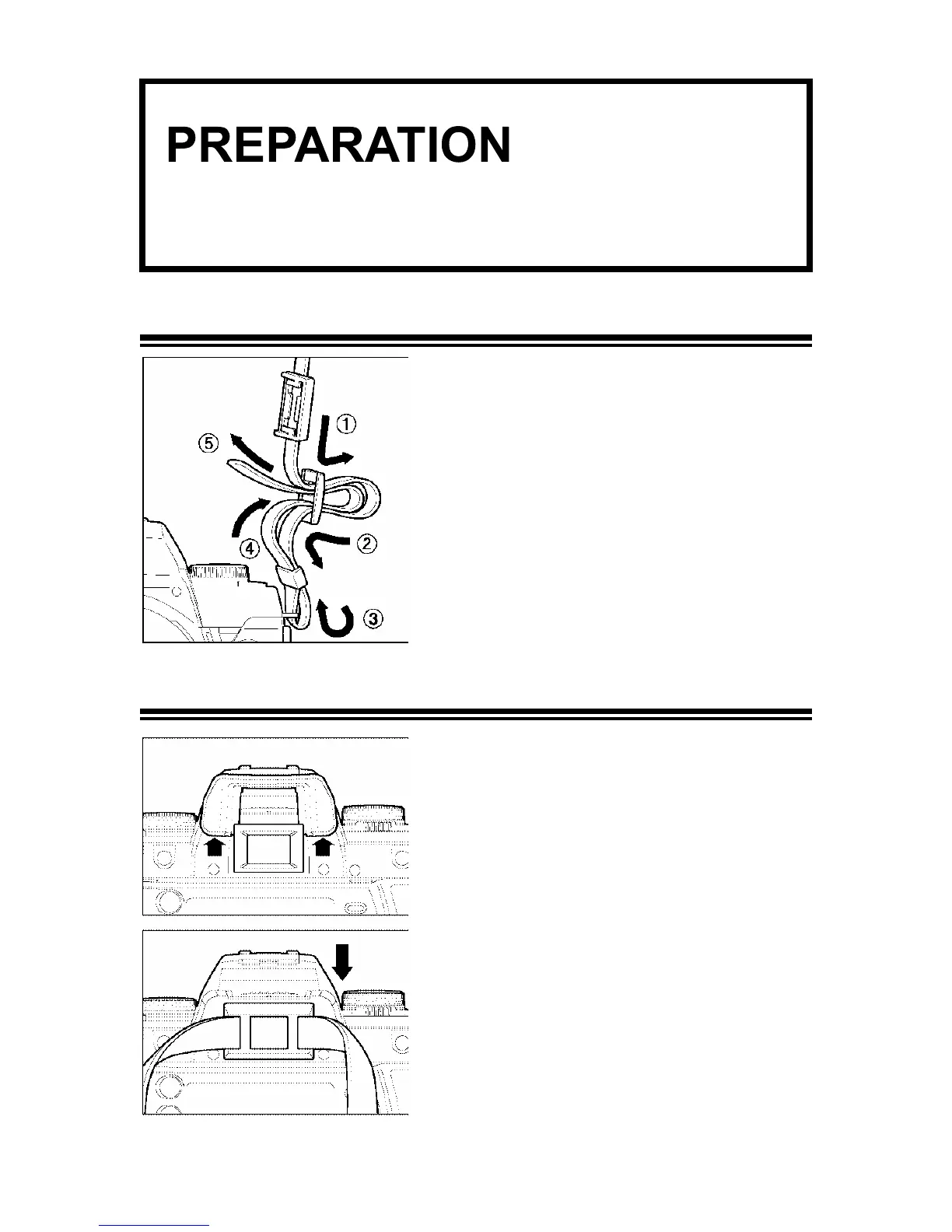
ATTACHING THE CARRY STRAP
1
Undo the strap end.
2
Thread the Finder Cap onto the strap.
3
Attach the carry strap as shown.
HOW TO USE THE FINDER CAP
When using the self-timer or remote control,
cover the viewfinder eyepiece with the Finder
Cap, to prevent stray light from entering the
camera.
18
1
Remove the eyecup from the viewfinder.
2
Attach the Finder Cap onto the viewfinder.



 To Next Page