SigTEL Compact Operator Instructions
SigTEL Approved Document No. DAU0000092 Rev 4 Page 14 of 16
Emergency Voice
Communication System
16.3 To give control to a repeater unit from the master unit (when no outstations calling in)
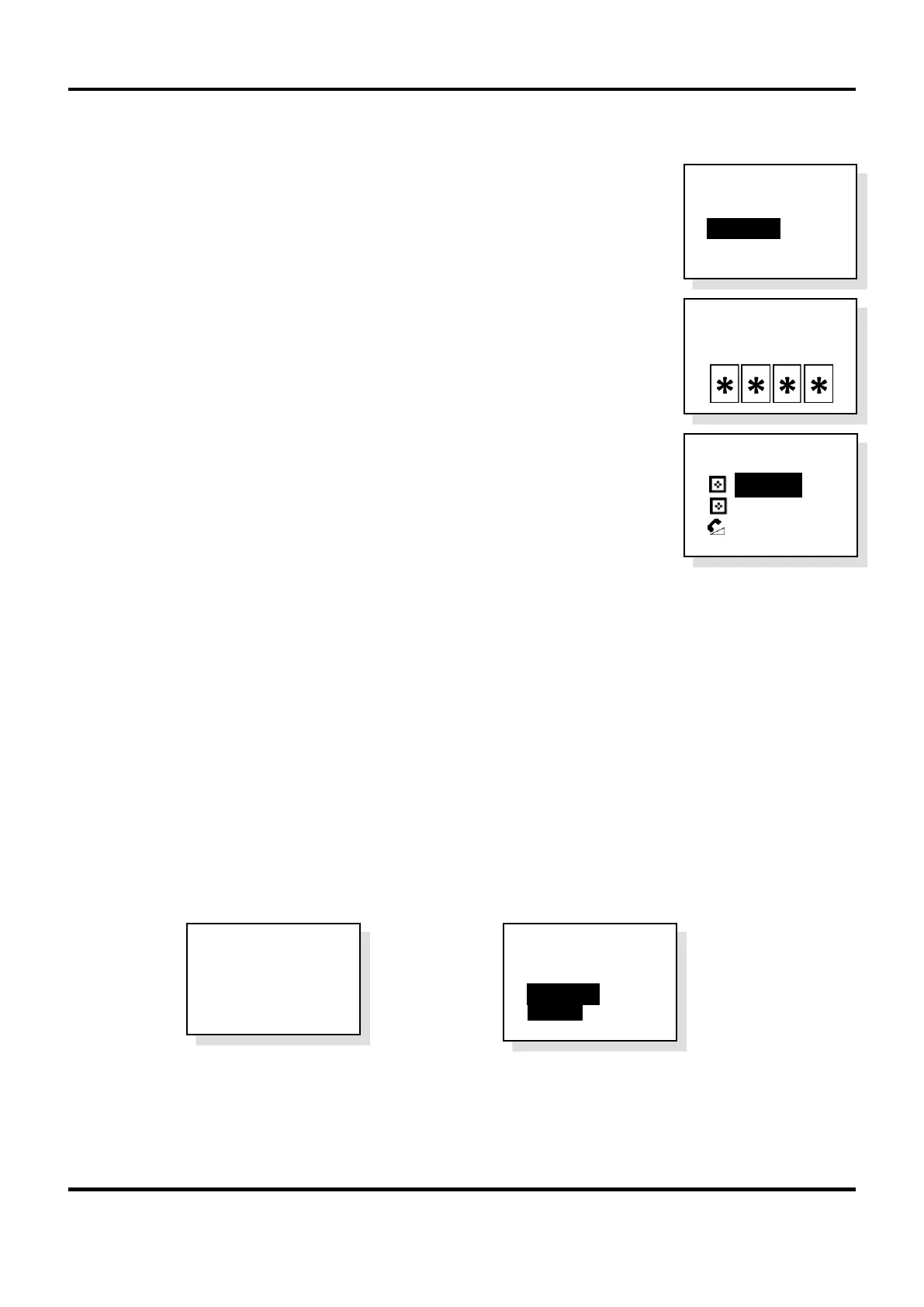
1. When there are no incoming calls on the system, at the current master unit (with
its handset on-hook) press FUNCTION (or F) button. The User Opts menu is
displayed.
2. Press ▼ to highlight Alt. Masters option and press CALL/ACCEPT button.
3. Enter the security PIN code using the keypad.
4. Press ▼ to highlight the location of the required master unit and press the
CALL/ACCEPT ( or ) button. The current master unit changes location and
the displays at each unit on the network confirm their network status.
17 Off-Hook Detection
The EVCS has enhanced features to detect off-hook handsets and jammed buttons at outstations.
Off-hook detection (at Type A outstations): Scenario: A call has been made from a Type A outstation,
the call has been answered and ended at a control unit but the handset at the outstation has been left off-
hook for longer than 2 minutes.
Jammed button detection (at Type B outstations): Scenario: A call has been made from a Type B
outstation, the call has been answered and ended at a control unit but the button at the outstation has
pressed / jammed for longer than 2 minutes.
For the two scenarios above, after the 2 minutes have elapsed, the fault buzzer at the control unit sounds, the Fault
indicator lights and a fault message is displayed, see example below left. Press CALL/ACCEPT button at the control
unit and details of the off-hook or jammed button extension is displayed, see example below right.
To rectify the fault either,
1. Call the extension from the control unit to check if someone is still waiting at the outstation for an answer,
or,
2. Go to the extension and replace the handset at Type A outstations, or release the jammed button at Type
B outstations.
1 Fault
Press Accept
To View
>Extension 2
Off Hook
Clr Rcnt Calls
>Alt. Masters
Reset System
> :
Wall Unit 1
: Wall Unit 2
:
Desk Unit 3
P I N



 To Next Page