09
AFTER SALES SUPPORT
1300 777 137
service@unclebills.com.au
MODEL: EA1440 PRODUCT CODE: 6619 04/2019
Before First Use
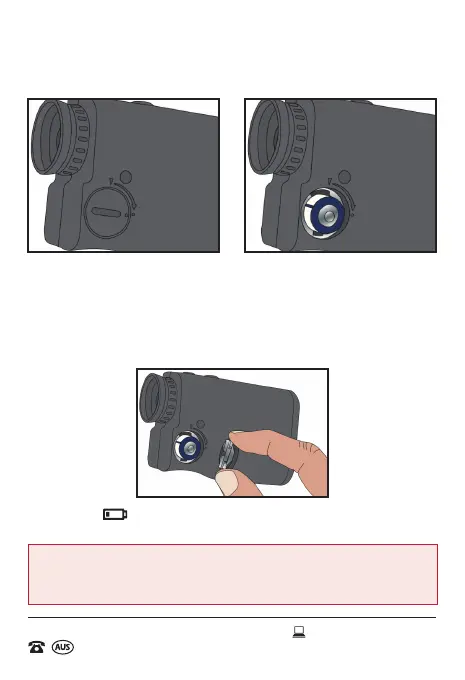
Inserting the Battery
Remove cover of the battery compartment, using a tool (e.g. a coin), turn
the lock in an anticlockwise direction, whilst asserting pressure on it. Insert
a new battery of type "CR2 (3V)" with the positive sign facing upwards, as
shown in the diagram below.
After inserting the battery, place the cover back onto the battery
compartment by rmly turning the battery cover in a clockwise position.
If this symbol appears on the display, the battery is low. In this case,
replace the battery.
WARNING: Do not expose batteries to excessive heat, direct sunlight,
open ames or any other heat sources (please see page 6 for more
information).



 To Next Page