-
16 -
3 POWER CONNECTION
The printer can be powered with a battery pack or an AC adapter.
Always refer to Section 11 SPECIFICATIONS before using the battery pack and the AC
adapter.
Installing a Battery Pack
The battery pack should be fully recharged. See Section 8, Recharging the Battery
Pack, for details on the recharging method.
NOTE
- Before installing or removing the battery pack, turn the printer off.
- If the printer is not used for a long time, remove the battery pack from the
printer.
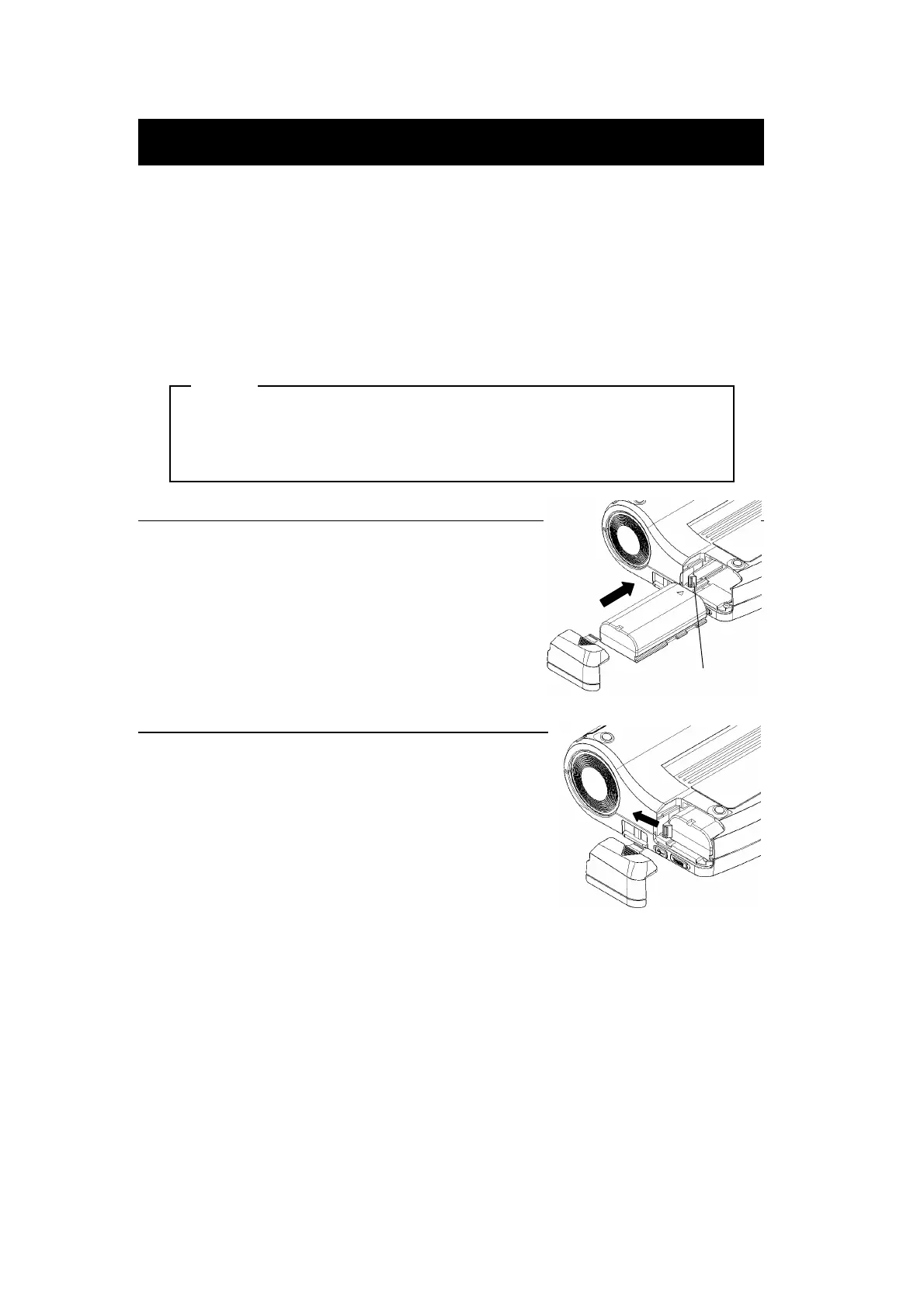
Installing the battery pack
Remove the battery cover.
Insert the battery pack in the direction of the arrow
so that the printer connection terminal contacts
the connection terminal of the battery pack.
Be sure to lock the battery release lever and
the battery pack.
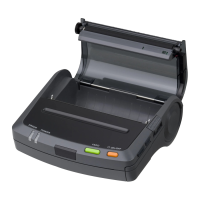
Removing the battery pack
Turn the printer off.
Take the battery cover off and slide the battery
release lever in the direction of the arrow.
So the spring in the printer pushes the battery pack out.
Battery release lever


 To Next Page