-
18 -
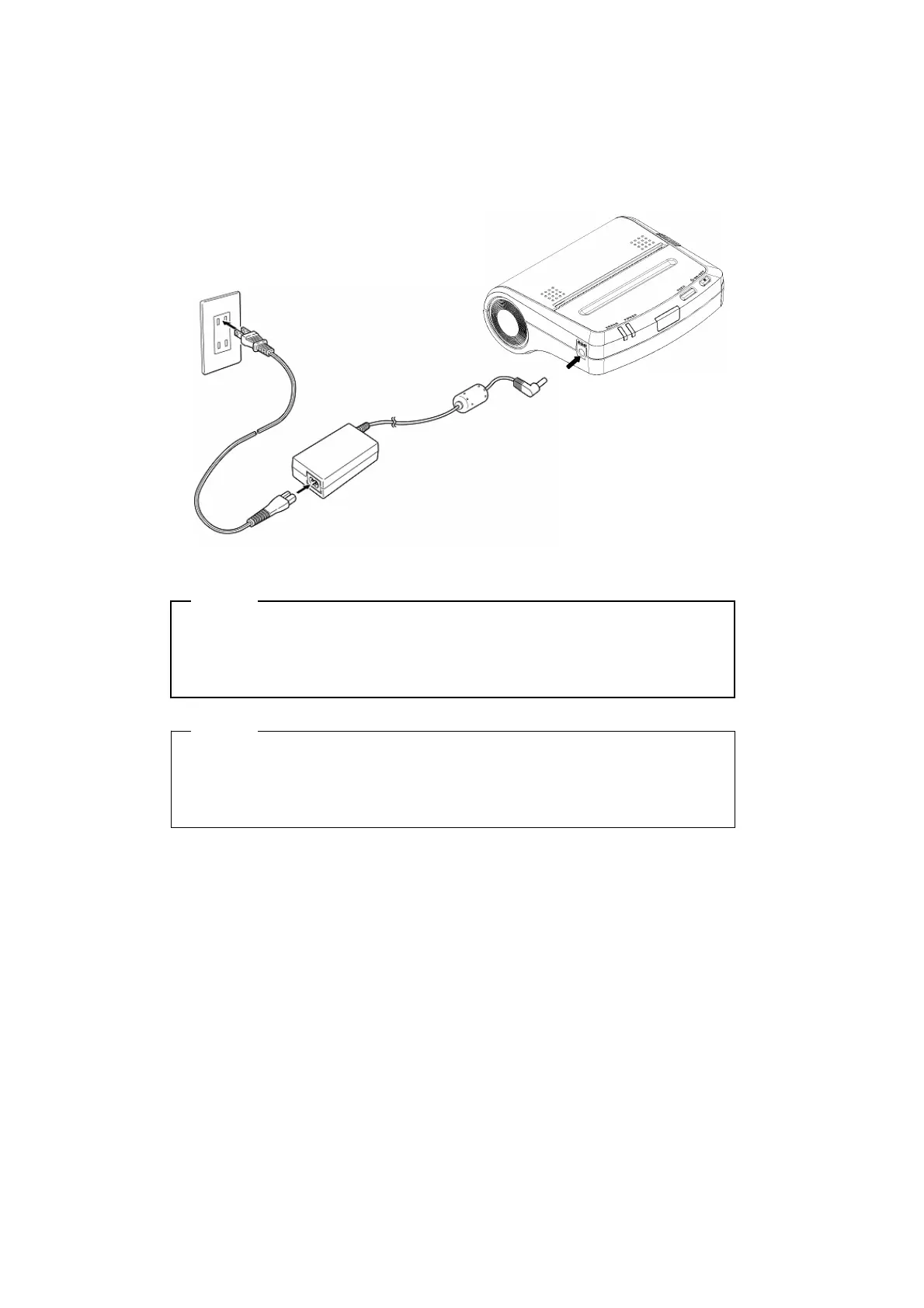
Connecting the AC Adapter
(1) Connect the AC cable to the AC adapter.
(2) Insert the DC jack of the AC adapter to the power connector of the printer.
(3) Insert the AC plug of the AC cable to an electric outlet.
NOTE
- Before installing or removing the AC adapter, turn the printer off.
- If the printer is not used for a long time, unplug the AC cable from the
outlet.
HINT
• If the Auto Activation by AC function is enabled, the printer turns on
automatically when the AC cable of the AC adapter inserts to the outlet.
See Section 6 Function Setting for details on settings.
(1)
(2)
(3)


 To Next Page