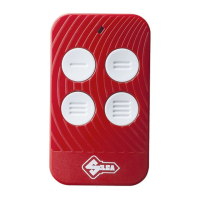
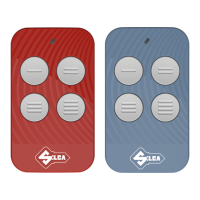
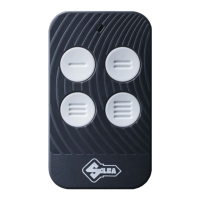
Air4 Home-Air4 Home PRO
Copyright Silca S.p.A 2019
English
14
PROCEDURE
1. Open the device to access the ba ery compartment and remove the ba eries.
2. Use a drill to carefully drill the back of the device; make sure to use a bit with a suitable diameter for the
chosen cable gland . (Fig./Abb.8)
3. Carefully drill the cable gland with the power cable.
4. Carefully remove any plas c shavings from the device . (Fig./Abb.9)
5. Remove the circuit board’s protec ve cover by unscrewing the two screws.
(Fig./Abb.7)
6. Change the posi on of the jumper as shown in the fi gure. (Fig./Abb.12)
7. Connect the power cable to the board’s connector as per the indicated polarity.(Fig./Abb.13)
8. Reposi on and secure the circuit board’s protec ve cover and the device’s bo om shell
. WARNING: do
NOT reinsert the ba eries.
14. ADVICE SHOULD THE FOLLOWING OCCUR
The Air4 Home won’t detect the remote control.
Nothing happens when the remote control bu on is pressed and a er 30 seconds, the app displays an error
screen.
Possible causes:
- The remote control uses an unsupported frequency (e.g. it is a quartz remote control).
- The remote control is very powerful and must be kept further away from the Air4 Home.
- The remote control’s ba eries are dying and it must be kept closer to the Air4 Home or the ba eries must
be replaced.
The Air4 Home won’t copy the remote control.
The app immediately displays an error screen when the remote control bu on is pressed.
Possible causes:
- The remote control is very powerful and must be kept further away from the Air4 Home.
The gate or garage will not open.
The copying procedure was completed without errors, but when you get to the fi nal test screen, the gate or
garage won’t open.
Possible causes:
- The remote control is not a compa ble model.
- The remote control has not been copied within 10 metres of the gate/garage receiver .
- If the remote control type is an “automa cally-recording rolling code,” the receiver’s automa c remote
control recording func on is disabled (or not supported). Consult the receiver manual and follow the in-
struc ons regarding copying a new remote control.
- If the remote control type is a “rolling code with a secret code,” and is a “FAAC” or “GENIUS” model, the
remote is a “SLAVE” model, instead of a “MASTER” model. “SLAVE” remote controls cannot be copied and
it’s therefore necessary to obtain the “MASTER”.
- To iden fy the remote control type, press the remote control bu on that opens the gate or garage, and
check what kind of fl ash is emi ed from the remote’s LED: 1. If it fl ashes briefl y before becoming steadily lit,
it is a MASTER. 2. If it immediately becomes steadily lit, it is a SLAVE remote control and cannot be copied.
- If the radio control is of type V2, there is a guided procedure inside the APP to perform the copy with
iden cal serial.
- At the beginning of the copy procedure (1st SCREEN) press the three dots (
) in the upper right corner
and follow the instruc ons.



 To Next Page
 Loading...