5
Remote Panic (Applies to 6908A and 6918A only, but is an option on 6904A)
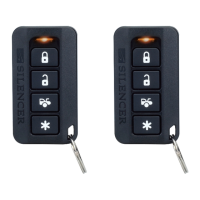
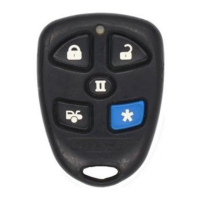
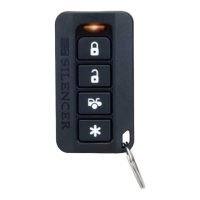
Press and hold the ARM button for more than 3 seconds and the security system will respond in the
following manner:
A. The horn/siren will begin sounding.
B. The parking lights will begin flashing. (Applies to 6908A and 6918A only, but is an option
on 6904A)
To turn off the panic alarm, press and release the DISARM button on the transmitter. The horn/siren will
stop sounding and the parking lights will stop flashing.
Note 1: If you do not turn off the panic feature with the transmitter, the panic alarm will sound for 60
seconds and then turn off by itself.
.
Note 2: (6904A Only) For remote panic to operate an optional status indicator must have been installed.
.
Note 3: (6904A Only) For flashing lights to operate an additional module must have been installed.
User Discretion Silent Arming (Applies to 6908A and 6918A Only)
Your Silencer
®
security system can be instructed to become armed or disarmed without the horn/siren chirps
by the remote transmitter. To operate this feature at any time, simply press the ARM button and the DISARM
button at the same time. The combination of the two signals will instruct the security system to arm or disarm
silently.
60 Second Re-Arming: (Applies to 6908A and 6918A Only)
If your Silencer
®
security system has become triggered, the horn/siren will sound for 60 seconds and then stop
and re-set to a fully armed condition.
Note: If a protected entrance is left open, your Silencer
®
security system will remain triggered for two more 60
second cycles then fully re-arm excluding the door input trigger. (Door input trigger is no longer functional)
Closing the entrance will re-set the door input trigger within 7 seconds.
Removable Valet/Override Switch Operation (continued)
How to Get Back to Security System Activation Mode:
1. Place the ignition key switch to the “on” position.
2. Place the valet switch to the “off” position.
3. Place the ignition key switch back to the “off” position. You will notice that the LED indicator will be
off. This indicates that you have exited the valet mode and your Silencer
®
will operate normally.
4. Remove the valet switch.
Secondary RF Protection Mode
Every time you disarm your Silencer
®
security system with your transmitter, the security system will start an RF
protection mode countdown. This is a timed secondary protection mode to insure that the radio signal used to
disarm the security system was from your transmitter. After the system is disarmed by radio signal, it will
count down for 60 seconds and then become re-armed if no one enters the vehicle.
Note 1: This feature is automatic and not deletable on the 6904A model security system.
Note 2: The feature is only active when 6908A or 6918A has been programmed to automatically arm.



 To Next Page