CP2102-EK
2 Rev. 0.5
4. CP2102 Hardware Interface
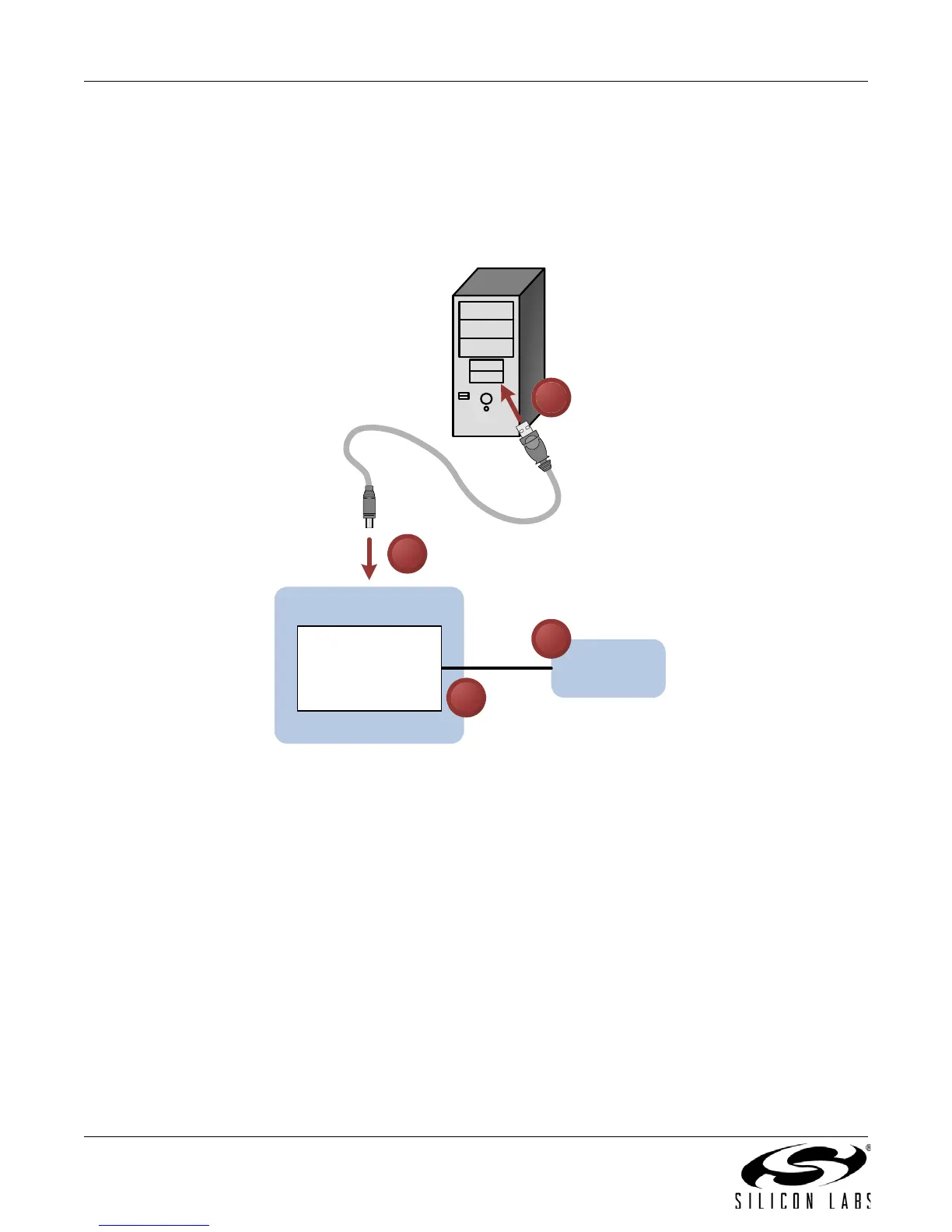
The evaluation board is connected to a PC as shown in Figure 1.
1. Connect one end of the USB cable to a USB Port on the PC.
2. Connect the other end of the USB cable to the USB connector on the
CP2102 evaluation board.
3. Connect one end of the RS232 serial cable to the DB-9 connector on the
CP2102 evaluation board
.
4. Connect the other end of the RS232 serial cable to the target serial device.
Figure 1. Hardware Setup
CP2102 EK
Serial Device
RS232
CP2102 USB-to-
UART Bridge
USB
1
2
3
4


 To Next Page