CP2102-EK
Rev. 0.5 3
5. CP2102 Software Interface
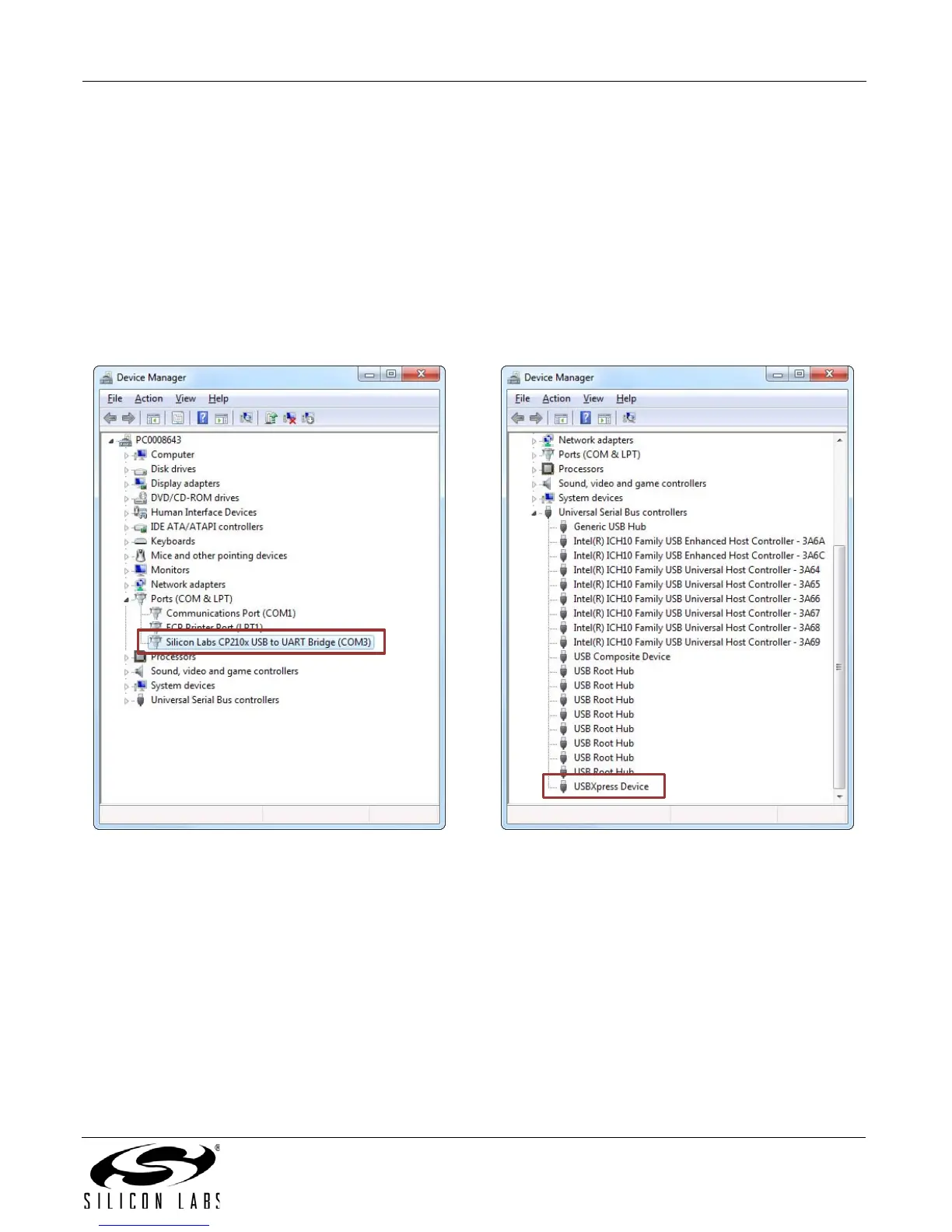
If the Virtual COM Port drivers are used, the CP2102 will appear as a COM port in the Device Manager, as shown
in Figure 2. The CP2102 will always use the lowest available COM port for operation. For instance, if COM ports 1
and 2 are in use by other peripherals and applications, the CP2102 will use COM 3.
The CP2102 functions identically to a COM port from the reference point of both the host application and the serial
device, and it can support serial device control requests defined in the Microsoft Win32
®
Communications API.
Examples for how to communicate with the device as a serial COM port are included in AN197 on the
www.silabs.com/interface-appnotes page or in the SDK.
If the USBXpress drivers are used, the CP2102 will appear as a USB USBXpress device as shown in Figure 2.
Examples for how to communicate with the device using the USBXpress interface are included in AN169 on the
www.silabs.com/interface-appnotes page.
Figure 2. CP2102 in Device Manager


 To Next Page