16
Replacing saw blades
Use
ENGLISH
• Do not touch the blade or metal filings until they have
cooled.
• NEVER fasten the saw with blade pointing upwards in a
vice or clamp to use as a bench saw. Serious accidents
can occur.
Disconnect the saw from the mains.
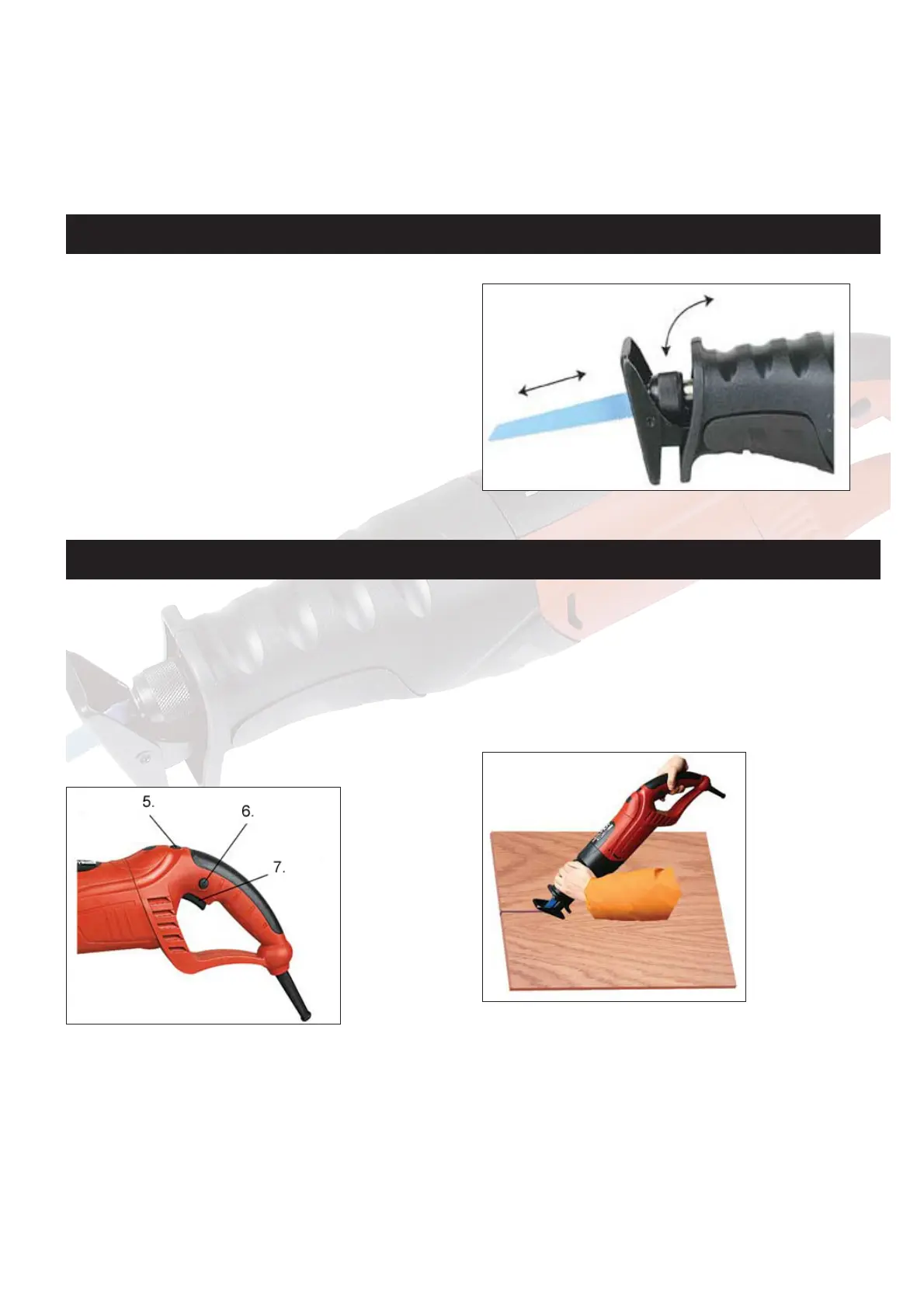
Turn the blade holder (3) anticlockwise to release the lock
mechanism, and hold securely.
Remove blade (1) from the holder, insert a new one with the
teeth pointing downwards. Release the blade holder. The blade
will be locked.
Pull the saw blade to check that it is correctly positioned and
locked in place.
Connect the saw to the mains.
Start, stop and speed control
Start the machine by depressing the lock button (6) and on/
off button (7).
The saw blade moves backwards and forwards.
Regulate speed by turning the speed control button (5).
The saw stops by releasing the power switch.
General
Never use a blade unsuitable for the task and item to be cut.
Hold the saw in front of you with a firm grip. Hold the support
grip (4) to stabilise the saw.
Ensure that the saw blade is not touching anything and that
the lead is not in the way.
Make sure that the material is clamped tight, and that the
saw line is clearly marked.
Start the saw. Place the soleplate (2) on the item, and let the
saw blade touch the saw line.
Saw, but do not place more pressure on the blade than is
necessary. Avoid lateral pressure on the blade.
Special notes on jig sawing
Place the soleplate over the item so that the blade is horizon-
tal above the saw line but not in contact.
Start the saw and tilt it carefully while supporting it using the
soleplate until the blade touches the material at the saw line.
Allow the saw blade to work through the material and con-
tinue to tilt the saw until it is perpendicular to the material.



 To Next Page