EasyManua.ls Logo

Silvercrest 297903 - User Manual

Silvercrest 297903
164 pages
Print Icon
To Next Page IconTo Next Page
Loading...
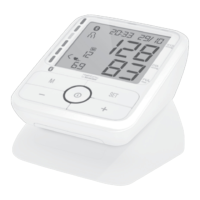
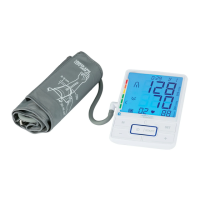
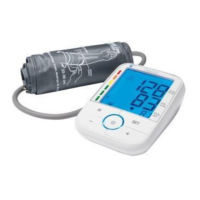
UPPER ARM BLOOD PRESSURE MONITOR
IAN 297903
OBERARM-
BLUTDRUCKMESSGERÄT
Gebrauchsanleitung und Sicherheitshinweise
BOVENARM-BL OEDDRUKMETER
Gebruikershandleiding en veiligheidsinstructies
TENSIOMÈTRE DE BRAS
Mode d‘emploi et consignes de sécurité
BLODTR YKSMÅLER TIL
OVERARMEN
Brugsvejledning og sikkerhedshenvisninger
UPPER ARM BLOOD PRESSURE
MONITOR
Instructions for Use and Safety Notes

Table of Contents

Questions and Answers

  • I
    Isaac AdamsAug 4, 2025
    What to do if my Silvercrest 297903 Blood Pressure Monitor says batteries are almost dead?
    • D
      Daniel White DDSAug 4, 2025
      If your Silvercrest Blood Pressure Monitor is showing that the batteries are almost dead, you should try reinserting the batteries first. If that doesn't work, replace them with a fresh set of batteries.
  • B
    Bryan CarsonAug 13, 2025
    Why can't I send data via Bluetooth on my Silvercrest 297903 Blood Pressure Monitor?
    • W
      William ChaneyAug 13, 2025
      If your Silvercrest Blood Pressure Monitor is failing to send data via Bluetooth, ensure that Bluetooth is activated on your smartphone and that the "HealthForYou" app is running.
  • M
    Mr. Raymond PattersonAug 23, 2025
    How to fix pulse measurement issues on Silvercrest 297903 Blood Pressure Monitor?
    • A
      Anthony GrossAug 23, 2025
      If the pulse is not being measured correctly on your Silvercrest Blood Pressure Monitor, repeat the measurement process. Make sure to remain still and avoid talking during the measurement.

Summary

List of Pictograms Used

Introduction to Blood Pressure Monitor

Intended Use of Device

Defines the primary purpose and application of the blood pressure monitor.

Incorrect Device Operation

Details actions or situations that constitute incorrect or unsafe operation.

Device Parts and Display Overview

Understanding Display Indicators

Explains the various symbols and readouts on the device display.

Product Package Contents

Technical Specifications

Critical Safety Instructions

Safe Battery Handling

Guidelines for safe handling, storage, and disposal of batteries.

Getting Started with Your Monitor

Battery Installation and Replacement

Step-by-step guide for installing and changing batteries.

HealthForYou App Integration

Information on downloading and using the companion app or web version.

Date, Time, and Bluetooth Configuration

Instructions for setting the device's date, time, and Bluetooth connection.

Performing Blood Pressure Measurements

Correct Cuff Placement

Guidance on correctly positioning and securing the blood pressure cuff.

Proper Measurement Posture

Recommendations for body position during measurement for optimal results.

Selecting and Using Memory Slots

How to choose and use the device's memory function for storing readings.

Step-by-Step Measurement Process

Detailed steps for performing a blood pressure measurement.

Bluetooth Data Transfer Guide

Manual Data Synchronization

Steps for manually initiating data transfer from the device to a smartphone.

Automatic Data Synchronization

Information on how data transfer occurs automatically after measurements.

Understanding Measurement Results

Cardiac Arrhythmia Detection

How the device detects and indicates potential cardiac arrhythmia during measurement.

Classifying Blood Pressure Readings

Explains how measurement results are categorized based on WHO guidelines.

Managing Stored Measurements

Cleaning and Device Maintenance

Proper Storage Recommendations

Troubleshooting Common Issues

Product and Battery Disposal

Product Warranty and Service Information

Silvercrest 297903 Specifications

General IconGeneral
Model Number297903
Measurement MethodOscillometric
Measurement Range (Pressure)0-300 mmHg
Power Supply4 x 1.5V AA batteries
DisplayLCD
Automatic Shut-offYes
Measurement Range (Pulse)40-199 beats/min
Memory60 measurements

Related product manuals