29 GB/IE
Functions of the buttons
Start a playlist on your playback device.
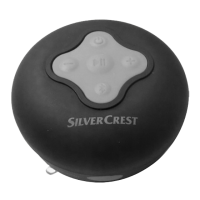
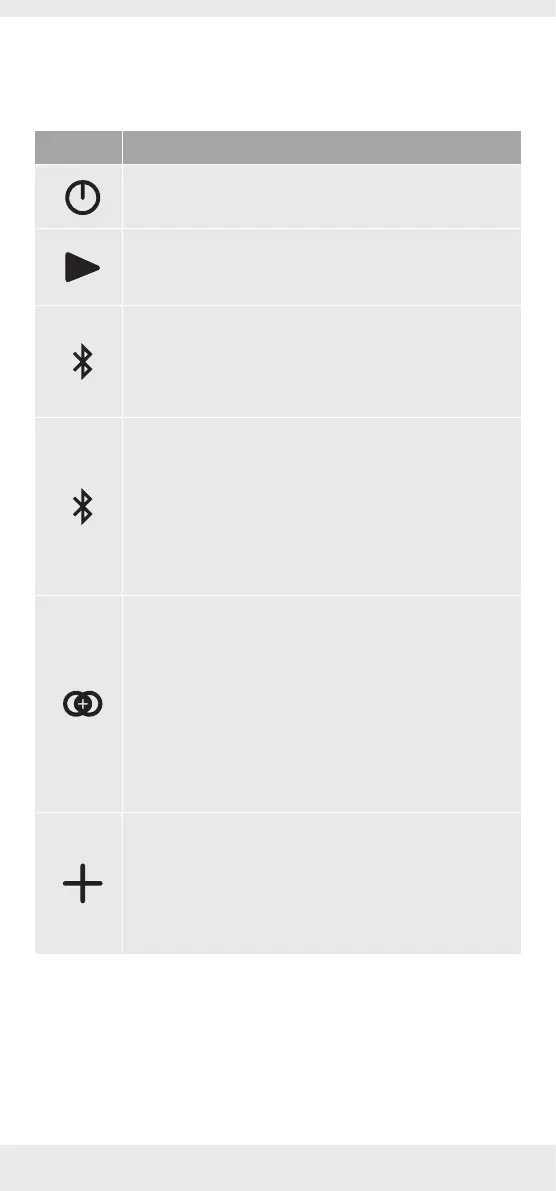
The product has 6 buttons and these control the following
functions:
Button Function
‒ Press to switch the product ON or OFF.
‒ Press briefly during playback to pause or continue
playback.
‒ In paired mode, press and hold for approx. 2
seconds to change to pairing mode to allow another
communication device to connect.
TWS mode:
‒ Press briefly to pair two units (same model) before
they connect to an external Bluetooth playback
device. A signal tone will be heard if pairing has
been carried out successfully.
‒ Press briefly again to break the current TWS
connection, a signal tone will be heard.
Party play mode:
‒ Press and hold for 2 seconds to pair two or more
PartyPlay compatible speakers (Different model)
for a stereo sound for which can connect up to 10
PartyPlay compatible speakers. A signal tone will be
heard if pairing has been carried out successfully.
‒ Press and hold for 2 seconds again to break the
current connection, a signal tone will be heard.
‒ Press briefly during playback to increase the volume,
one beep will sound when the maximum volume has
been reached.
‒ Press and hold for 2 seconds during playback to skip
forwards to the next song in the playlist.


 To Next Page
 Loading...