EasyManua.ls Logo

Silvercrest 71652 - User Manual

Silvercrest 71652
114 pages
Print Icon
To Next Page IconTo Next Page
Loading...
IAN 71652
KOMPERNASS GMBH
BURGSTRASSE 21
D-44867 BOCHUM
www.kompernass.com
Last Information Update
Tietojen tila
Informationsstatus
Tilstand af information: 11 / 2011
Ident.-No.: SSOT 6 A1 - 10/2011 - V3
PERSONAL CARE
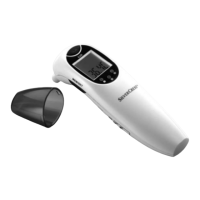
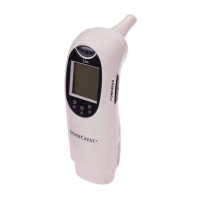
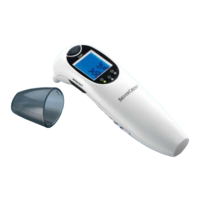
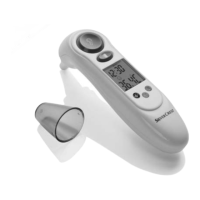
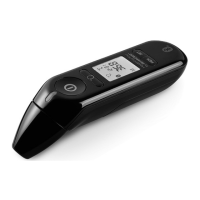
Forehead & Ear Thermometer SSOT 6 A1
3
Käännä ennen lukemista molemmat kuvalliset sivut esiin ja
tutustu seuraavaksi laitteen kaikkiin toimintoihin.
Før du læser, vend begge sidene med billeder frem og bliv
bekendt med alle apparatets funktioner.
Before reading, unfold both pages containing illustrations and
familiarise yourself with all functions of the device.
Vik ut båda bildsidorna och ha den till hands när du läser
igenom anvisningarna och gör dig bekant med appara-
tens / maskinens funktioner.
Forehead & Ear Thermometer
Operation and Safety Notes
Otsa- ja korvakuumemittari
Käyttö- ja turvallisuusohjeet
Pann- och örontermometer
Bruksanvisning och säkerhetsanvisningar
Pande- og øretermometer
Betjenings- og sikkerhetshenvisninger
CV_71652_SSOT6A1_LB3.indd 1-4CV_71652_SSOT6A1_LB3.indd 1-4 28.11.2011 13:22:25 Uhr28.11.2011 13:22:25 Uhr

Table of Contents

Question and Answer IconNeed help?

Do you have a question about the Silvercrest 71652 and is the answer not in the manual?

Overview

The SilverCrest Forehead & Ear Thermometer SSOT 6 A1 is a versatile personal care device designed for indoor use, offering multiple temperature measurement modes, a stopwatch function, and a clock.

Function Description:

The device is primarily intended for measuring body temperature on the ear or temple/forehead. It also provides measurements for room temperature and surface temperatures within a household setting. Additionally, it functions as a clock with an integrated stopwatch. It's important to note that this appliance is solely for private use and should not replace a medical examination by a qualified doctor. Any use outside of the described functions or modifications to the product are not permitted and may lead to injury or damage.

Important Technical Specifications:

  • Measurement Method: Infrared (non-contact).
  • Power Supply: Lithium battery 3 V CR2032.
  • Power Consumption: < 30 mA.
  • Memory: Stores up to 9 temperature measurements, including date, time, and measurement method (ear or forehead).
  • Temperature Scales: Celsius (°C) and Fahrenheit (°F).
  • Time Display: 12-hour or 24-hour format.
  • Automatic Switch-off: After 1 minute of inactivity.
  • Measurement Range (Forehead & Ear Mode): 32.0 °C - 42.9 °C (89.6 °F - 109.2 °F).
  • Measurement Accuracies (Forehead & Ear Mode):
    • ± 0.2 °C (± 0.4 °F) within 35.5 °C - 42.0 °C (95.9 °F - 107.6 °F).
    • ± 0.3 °C (± 0.5 °F) within 32.0 °C - 35.4 °C (89.6 °F - 95.7 °F) and 42.1 °C - 42.9 °C (107.8 °F - 109.2 °F).
  • Measurement Range (Room Temperature): 5.0 °C - 59.0 °C (41.0 °F - 138.2 °F).
  • Measurement Accuracy (Room Temperature): ± 2.0 °C (± 4.0 °F).
  • Measurement Range (Scan Mode): –22.0 °C - 80.0 °C (–7.6 °F - 176 °F).
  • Measurement Accuracy (Scan Mode): ± 2.0 °C (± 4.0 °F).
  • Ambient Temperature (Ear and Scan Mode): +10.0 °C - +40.0 °C (50.0 °F - 104.0 °F).
  • Ambient Temperature (Forehead Mode): +15.0 °C - +40.0 °C (59.0 °F - 104.0 °F).
  • Storage Temperature: –10.0 °C - +55.0 °C (14.0 °F - 131.0 °F) at 20%RH - 85%RH.
  • Atmospheric Pressure: 700 ~ 1060 hPa.
  • Dimensions: Approx. 135 x 37 x 58 mm (L x W x H).
  • Weight: Approx. 50 g.

Usage Features:

The thermometer features an LC display (5) for showing various information, including temperature, date, time, and mode symbols. It has dedicated buttons for "MEM/SET" (1) for memory retrieval and settings, "EAR" (3) for ear/scan mode measurements, and "FOREHEAD" (4) for forehead/temple measurements.

  • Setting Date/Time: In standard mode, press and hold the "MEM/SET" button (1) for two seconds to enter setup mode. Use "MEM/SET" (1) to select 12-hour or 24-hour format, and "FOREHEAD" (4) to adjust hours, minutes, year, month, and day. The sleep mode can also be toggled on/off in this setting.
  • Room Temperature Measurement (Standard Mode): After setting the date/time, if no further actions are taken for 1 minute, the device enters sleep mode to save battery. In sleep mode, the LC display (5) turns off, indicated by the sleep mode symbol (20). When sleep mode is deactivated, the device remains on, displaying time and room temperature alternately (Illustration D).
  • Body Temperature Measurement (Ear Mode):
    • It is recommended to take three consecutive measurements in the same ear and use the highest value.
    • Ensure the measuring head (2) and sensors are clean.
    • Gently pull the outer ear upwards/backwards to straighten the ear canal.
    • Carefully insert the measuring head (2) into the ear canal.
    • Press the "EAR" button (3) briefly. The ear mode symbol (15) appears on the LC display (5), and measurement starts after an acoustic signal.
    • Two acoustic signals indicate the end of the measurement.
    • The result is shown on the LC display (5), accompanied by one of three LED indicators: green (8) for no fever (34.0 °C - 37.4 °C), orange (7) for slight temperature increase (37.5 °C - 37.9 °C), or red (6) for fever (38.0 °C - 42.9 °C).
    • Wait for the "000" display to disappear before taking a new measurement.
  • Body Temperature Measurement (Forehead Mode):
    • Similar to ear mode, take three consecutive measurements at the same spot and use the highest value.
    • Allow the device to acclimatize to room temperature for 20-30 minutes if temperatures differ.
    • Relax for about 5 minutes before measuring.
    • Ensure the forehead or temple is clean and free of sweat, cosmetics, or ointment.
    • Hold the measuring sensor 1 cm away from the forehead/temple.
    • Press the "FOREHEAD" button (4). The forehead mode symbol (19) appears on the LC display (5), and measurement starts after an acoustic signal.
    • Two acoustic signals indicate the end of the measurement.
    • The result is shown on the LC display (5), with corresponding LED indicators (green, orange, or red).
  • Household Thermometer (Scan Mode):
    • This mode is for non-contact surface temperature measurements (–22.0 °C - 80.0 °C). It should not be used for body temperature.
    • The displayed temperature is the current surface temperature, which may differ from internal temperature, especially if exposed to direct sunlight or drafts.
    • To activate, press "FOREHEAD" (4) and "EAR" (3) simultaneously until "Food" (17) appears on the LC display (5) (Illustration E).
    • Hold the measuring head 1 cm from the liquid/surface.
    • Press "EAR" (3) to start measurement. The result is shown on the LC display (5).
  • Stopwatch Mode:
    • The integrated watch can function as a stopwatch (0.01 seconds to 3 minutes) for pulse rate calculation.
    • To activate, press "FOREHEAD" (4) and "EAR" (3) simultaneously until the stopwatch symbol (25) appears on the LC display (5) (Illustration F).
    • Press "FOREHEAD" (4) to start and stop the stopwatch.
    • Press "MEM/SET" (1) to clear the previously measured time and start a new measurement.
  • Memory Function: Measurements in ear and forehead modes are automatically stored. The last measurement is always stored in the last available space. If all 9 spaces are full, the oldest measurement is deleted. To retrieve stored values, press "MEM/SET" (1) in standard mode. The memory mode symbol (22), measurement number, date, time, and measurement mode will appear on the LC display (5) (Illustration G). Press "MEM/SET" (1) again to cycle through stored measurements.
  • Temperature Unit Selection: Press and hold "EAR" (3) and "FOREHEAD" (4) simultaneously until "°F" appears next to the temperature display. Repeat the process to switch back to "°C".

Maintenance Features:

  • Cleaning: The lens of the measuring sensor (2) is the most sensitive part. After each use, wipe it with a soft cloth moistened with 70% medical alcohol to prevent contamination. Wait at least 30 minutes after cleaning before taking another measurement, as the evaporative cooling effect of alcohol can falsify results. Clean the housing with a soft, slightly damp cloth; a mild detergent can be added for heavier soiling.
  • Battery Change:
    • Slide the battery compartment lid (10) downwards.
    • Remove the old battery (11) using a small screwdriver.
    • Avoid short-circuiting the battery.
    • Insert a new CR2032 lithium battery, ensuring correct polarity (plus sign upwards).
    • Push the new battery under the metal tab and press it down until it clicks into place.
    • Slide the battery compartment lid (10) back until it clicks.
    • If the battery is empty, an error message will be displayed.
  • Storage: Store the appliance in a dry environment, protected from direct sunlight, at temperatures between –10.0 °C and +55.0 °C. Avoid temperatures above 80.0 °C. Remove the battery if the device will not be used for an extended period.

Silvercrest 71652 Specifications

General IconGeneral
BrandSilvercrest
Model71652
CategoryThermometer
LanguageEnglish

Related product manuals