Menus DV-5100HD
40 - English
Stabilizer
The stabilizer uses smart electronics to smoothen your video
recordings. Any abrupt movements of the camcorder will be
slowed-down electronically resulting in a smoother scene.
While the stabilizer is enabled, DIS will appear on the display.
Capture Mode
This item allows you to enable the microphone (voice-recording)
mode. In this case, only the sound will be recorded, therefore you
can use your camcorder as a dictaphone. To play the recordings,
proceed as for playing back videos.
The icons have the following meanings:
Microphone recording
Video recording
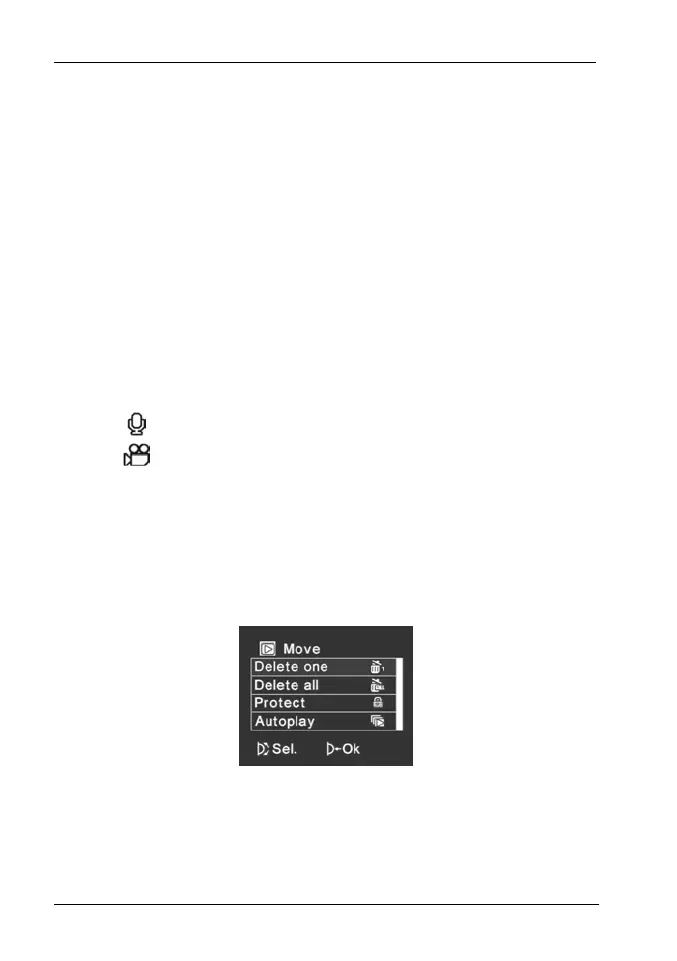
Video Playback Menu
To open the Video playback menu, press the Menu button [13]
while in video playback mode. This menu consists of one page.


 To Next Page