Menus DV-5100HD
44 - English
Point the camcorder at the subject and make sure to position it
on a stable surface (or better still, a tripod).
Press the shutter button (17).
The self-timer indicator [2] on the front panel flashes and a
counter will appear on the display. After the preset time, the
picture is taken automatically.
After the picture has been taken, the self-timer will be disabled.
You may continue using your camcorder normally.
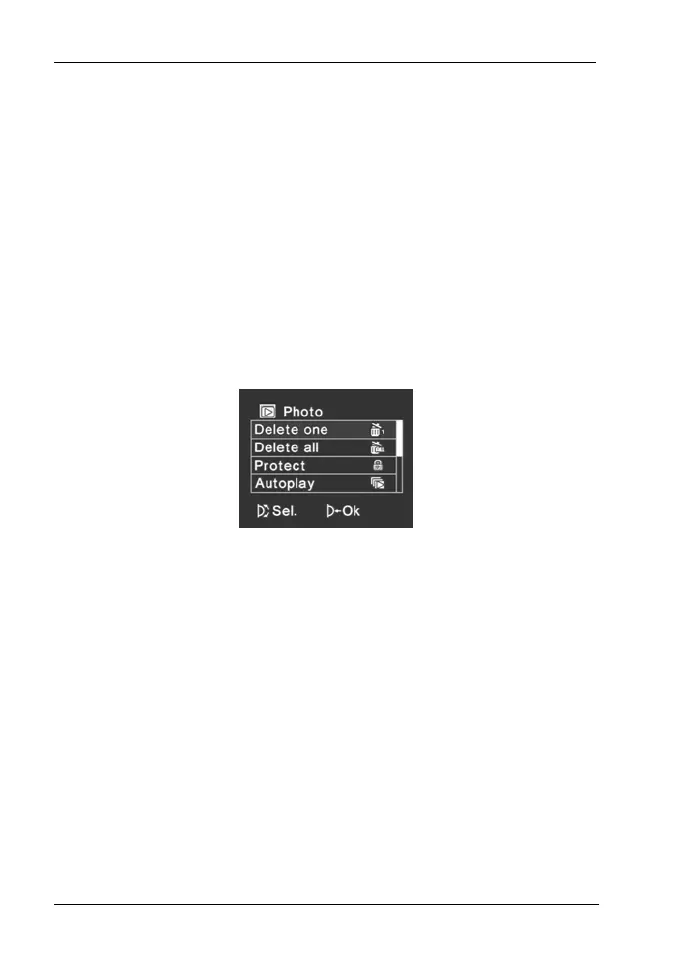
Photo Playback Menu
To open the Photo playback menu, press the Menu button [13]
while in photo playback mode.
Delete one
This allows you to erase a single picture. This function is operated
the same way as the Delete function for video playback (see
page 41).
Warning! After a picture has been erased, it cannot be restored.


 To Next Page