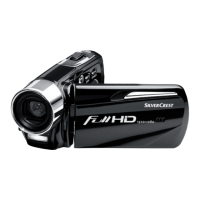
Contents DV-5100HD
4 - English
Protect ......................................................................................... 45
Autoplay....................................................................................... 45
DPOF........................................................................................... 45
Connectors and Ports 46
Viewing Recordings on a Television Screen................................. 46
Connecting via the HDMI Cable .................................................. 47
Connecting via the USB/AV Cable .............................................. 47
Transferring Recordings to the Computer..................................... 48
Using the USB port ...................................................................... 48
Using a Card Reader ................................................................... 49
Software 50
System Requirements .................................................................. 50
Installing the Software .................................................................. 50
Uninstalling the Software ............................................................. 51
The Main Dialog............................................................................ 51
Select language........................................................................... 52
Registration and Upgrades .......................................................... 52
Editing Recordings........................................................................ 53
Viewing Recordings ..................................................................... 53
Importing Recordings................................................................... 54
Selecting the Navigation View ..................................................... 55
Preview Window .......................................................................... 55


 To Next Page