EasyManua.ls Logo

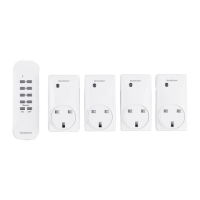
Silvercrest OUTDOOR WIRELESS SOCKET SET - User Manual

Silvercrest OUTDOOR WIRELESS SOCKET SET
86 pages
Print Icon
To Next Page IconTo Next Page
Loading...
IAN 284705
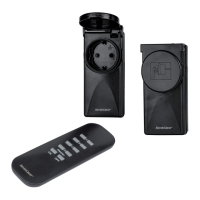
OUTDOOR WIRELESS SOCKET SET
Operation and Safety Notes
KAUKO-OHJATTAVA
ULKOPISTORASIA
Käyttö- ja turvaohjeet
AUSSEN- FUNKSTECKDOSEN-SET
Bedienungs- und Sicherheitshinweise
FJÄRRSTYRDA ELUTTAG
FÖR UTOMHUSBRUK
Bruksanvisning och säkerhetsanvisningar
LAUKUI SKIRTŲ NUOTOLINIO
VALDYMO KIŠTUKINIŲ LIZDŲ
RINKINYS
Nurodymai dėl valdymo ir saugumo

Table of Contents

Questions and Answers

  • M
    Megan PhillipsAug 5, 2025
    What to do if Silvercrest Accessories have no reaction?
    • J
      Jon JonesAug 5, 2025
      If your Silvercrest Accessories aren't responding, ensure the appliance is switched on. If that doesn't work, try assigning a new code to the wireless socket. Also, make sure the device is within the correct range by moving closer to it.
  • L
    Laura EvansAug 13, 2025
    Why is the range too small for my Silvercrest OUTDOOR WIRELESS SOCKET SET?
    • M
      Mark CombsAug 13, 2025
      To maximize the range of your Silvercrest Accessories, minimize obstructions between the remote controller and the remote-controlled socket. Obstructions include walls, furniture, trees, and bushes.
  • M
    Mr. Marcus Caldwell PhDAug 20, 2025
    What to do if Silvercrest OUTDOOR WIRELESS SOCKET SET Accessories remote control illuminates but there is no reaction?
    • R
      robin86Aug 20, 2025
      If the operating indicator on your Silvercrest Accessories remote control lights up but nothing happens, verify the battery's current output. Replace the battery if necessary.
  • A
    Amanda LeeAug 28, 2025
    How to fix no indicator light on Silvercrest Accessories remote control?
    • P
      Paul GillAug 28, 2025
      If the indicator light doesn't turn on when pressing the 'ON' or 'OFF' button on your Silvercrest Accessories remote control, check that the battery has been inserted correctly and ensure the battery has good contact by pressing down on it if needed.

Summary

Safety Information

General Safety Advice

Read instructions, familiarise with functions, and understand safety warnings.

Electrical Safety Precautions

Connect to earthed outlets, avoid overloading, and prevent electric shock.

Battery Safety Guidelines

Battery Hazards and Warnings

Warnings about swallowing, explosion risks, and proper battery handling.

Battery Leakage and Protection

Avoid environmental exposure, contact, and wear protective gloves for leaks.

Setup and Installation

Remote Control Setup

Guide to insert batteries into the remote control and test its functionality.

Socket Installation and Pairing

Instructions for plugging in the socket, orientation, and initial pairing.

Code Management

Operating the Wireless Socket Set

Troubleshooting Remote Issues

Steps to resolve common problems like no reaction or indicator light issues.

General Troubleshooting

Warranty and Support

Silvercrest OUTDOOR WIRELESS SOCKET SET Specifications

General IconGeneral
BrandSilvercrest
ModelOUTDOOR WIRELESS SOCKET SET
CategoryAccessories
LanguageEnglish

Related product manuals