- 7 -
To access the target device’s electronic
programme guide (EPG) first press briefly
the S button r and then the FAV/EPG
button 1(.
To control the “PIP” function (picture in pic-
ture) of your television set, rst press the
S button r followed by the
- button
of the Videotext function buttons s.
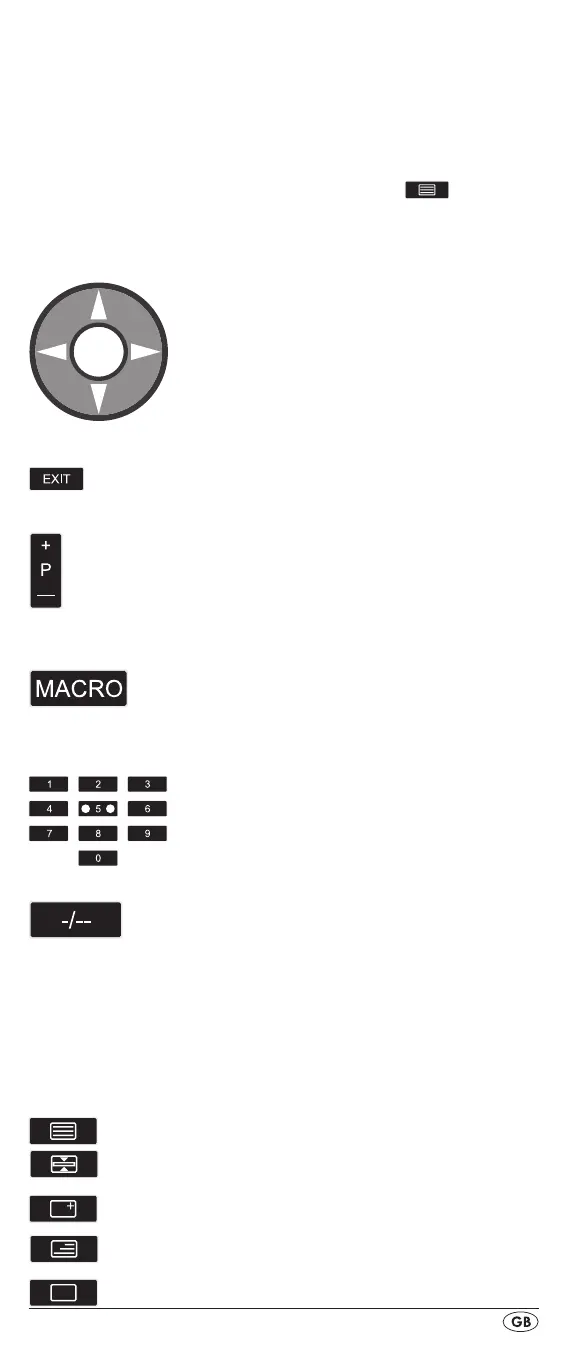
Arrow buttons t
Move up, right, left and down in menus.
EXIT button y
Move a level backward in the menu.
P +/— buttons u
Changing the reception channel.
In the DVD and CD-mode these buttons
control the SKIP function
MACRO button i
MACRO button i followed by a number
button o 1-6 activates a previously saved
chain of commands.
Number buttons o
Enter programme and device code numbers.
Button for one/two digit programme numbers a
For two digit programme numbers (depend-
ing on the device type) rst press
the a button then via the number buttons o
enter the programme number.
When pressed again the display becomes
single digit once more.
Teletext function buttons s
In teletext operation the buttons have the following functions:
Access the teletext function.
Stop automatic paging forward for
multi-page teletexts.
Enlarge page presentation
Screen text and TV image one upon the
other
To end the teletext function.
BDA_SFB 10.1 B2 - IAN-86342_gb.indd 7 06.12.2012 11:40:46


 To Next Page