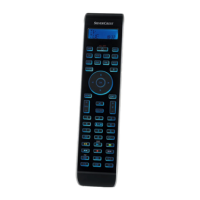
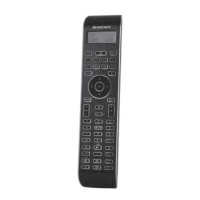
- 6 -
Code/Time field 2$
Here is shown the device code of the relevent selected device
or the time of day. With the time of day indicator "
:" the num-
bers blink in the middle. For time displays in the 12-hour for-
mat, the period of the day code is shown to the left of the time.
Day of the week field 2%
Here you can read the shortened form of the current day of
the week after you have entered the date.
Standard display:
The standard readout of the LCD display q consists of the
details for the relevent device, for example, "TV", the initial
for the day of the week and the time of day indicator.
Buttons
Note:
All the functions described here can, of course, only be used
if they are supported by the device being controlled.
/ALL OFF button. w
To switch the device on/o; press and hold
for a few seconds to switch all devices on/o.
Device buttons e
The device buttons are used to select the device that should
be operated.
Television
Video recorder
Accessory unit 1
Cable receiver
CD player
BluRay Disc Player
Audio amplier
DVD player
Digital satellite receiver
Accessory unit 2
The mentioned button allocation is not compulsory. You can,
for example, also save the code for the video recorder on
the TV slot.
"S" button r
Press and hold for 3 seconds to access the
configuration menu or press briefly to show
the date.
BDA_SFB 10.1 B2 - IAN-86342_gb.indd 6 06.12.2012 11:40:45


 To Next Page