EasyManua.ls Logo

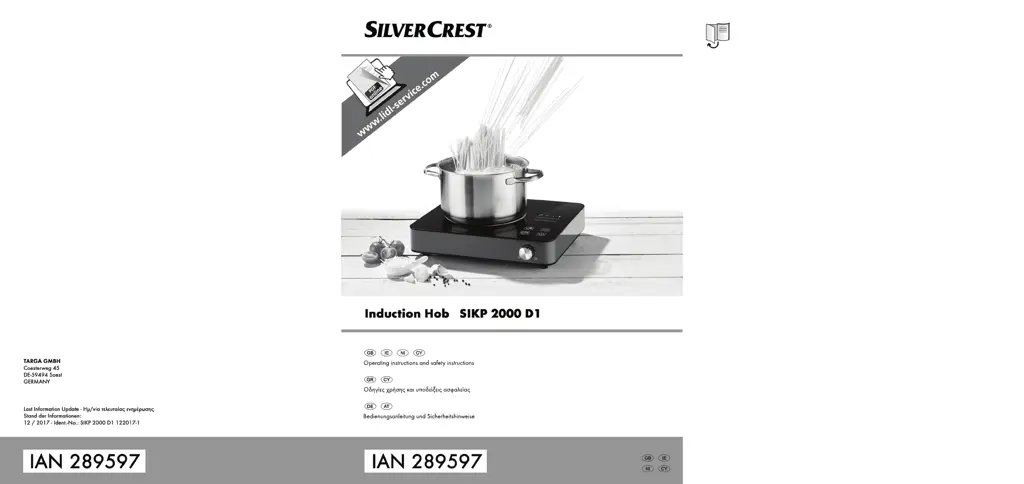
Silvercrest SIKP 2000 D1 - User Manual

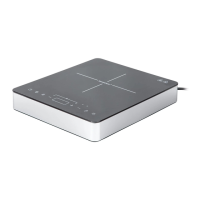
Silvercrest SIKP 2000 D1
84 pages
Print Icon
To Next Page IconTo Next Page
Loading...

Table of Contents

Other manuals for Silvercrest SIKP 2000 D1

Questions and Answers

  • L
    Lori SchroederJul 25, 2025
    What to do if error E0 is shown on the Silvercrest SIKP 2000 D1 display?
    • E
      elizabeth64Jul 26, 2025
      If error E0 appears on the Silvercrest Hob display, it could be due to a missing pan on the heating zone. Place a pan on the heating zone. Alternatively, your cookware might not be suitable for induction. Ensure you are using cookware designed for induction hotplates. Also, the cookware may be too small or not centered. Use cookware with a diameter between 16 and 26 cm and center it on the heating zone.
  • C
    courtneyblackJul 31, 2025
    What to do if error E3 is shown on the Silvercrest SIKP 2000 D1 display?
    • K
      Kathleen PattersonJul 31, 2025
      If error E3 is displayed on your Silvercrest Hob, it could be because the hotplate temperature is too high. Wait a few minutes for the heating zone to cool down. It could also mean that the pan is empty; in this case, fill the pan with food.
  • P
    Peter PaulAug 6, 2025
    Why is the heating zone not getting hot on my Silvercrest SIKP 2000 D1 Hob?
    • J
      jenkinsterriAug 6, 2025
      The heating zone on your Silvercrest Hob might not be getting hot because there is no pan on the heating zone. Place a pan on the heating zone. Another reason could be that your cookware is not suitable for induction. Use only cookware specifically designed for induction hotplates.
  • A
    Angela CoxAug 13, 2025
    What to do if error E6 is shown on the Silvercrest SIKP 2000 D1 Hob display?
    • J
      John MillsAug 13, 2025
      If error E6 is displayed on the Silvercrest Hob, fill the pan with food. If the pan was filled and error E6 is still displayed, the cooling fan may be defective. In this case, contact our hotline.
  • S
    Sue Jacobson DVMAug 18, 2025
    Why is my Silvercrest SIKP 2000 D1 induction hotplate not working?
    • S
      sandramcculloughAug 18, 2025
      Your Silvercrest Hob induction hotplate might not be working because the mains cable isn't connected. Ensure the mains cable is connected to a live wall socket. Alternatively, the child lock may be activated. To deactivate it, press and hold the button for 3 seconds.

Summary

Intended Use

Technical Specifications

Package Contents

Controls and Displays

Safety Instructions

Explanation of Symbols

Defines warning symbols used in the manual to alert users to potential risks.

Before You Start

Introduction to Induction Cooking

Explains the principles and benefits of induction cooking technology.

Suitable Cookware

Specifies the types of pans and cookware compatible with the induction hotplate.

Getting Started

Use

Detailed instructions on operating the induction hotplate, including power and temperature settings.

Switching Off Using the Timer

How to program the timer to automatically switch off the hotplate.

Child Lock

Instructions for activating and deactivating the child lock feature to prevent accidental changes.

Maintenance; Cleaning

Troubleshooting

Environmental Regulations and Disposal Information

Conformity

Guarantee Information

Silvercrest SIKP 2000 D1 Specifications

General IconGeneral
BrandSilvercrest
ModelSIKP 2000 D1
CategoryHob
LanguageEnglish

Related product manuals