EasyManua.ls Logo

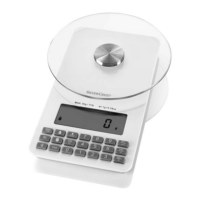
Silvercrest SNAW 1000 C1 - User Manual

Silvercrest SNAW 1000 C1
155 pages
Print Icon
To Next Page IconTo Next Page
Loading...
IAN 279915
NUTRITION SCALE
Operating instructions
NÄHRWERT-ANALYSEWAAGE
Bedienungsanleitung
VÁHA NA ANALÝZU
NUTRIČNÝCH HODNÔT
Návod na obsluhu
NUTRIČNÍ KUCHYŇSKÁ VÁHA
Návod k obsluze
NUTRITION SCALE SNAW 1000 C1

Table of Contents

Questions and Answers

  • S
    Sharon WrightAug 13, 2025
    What to do if Silvercrest SNAW 1000 C1 display '0 - Ld'?
    • J
      Jason DanielsAug 13, 2025
      If the display shows "0 - Ld" on your Silvercrest Scales, it means you're exceeding the maximum weight limit of 5 kg / 11 lb. To resolve this, simply remove some weight from the scales.
  • W
    William WoodAug 16, 2025
    Why does my Silvercrest Scales display 'L0' and a battery symbol?
    • A
      Alexandra HahnAug 17, 2025
      If your Silvercrest Scales show "L0" and the battery symbol, it means the battery is very weak. You should replace the battery to resolve this.
  • K
    Karen TaylorAug 20, 2025
    How to fix a Silvercrest SNAW 1000 C1 Scales with no display?
    • C
      Cassidy JonesAug 21, 2025
      If there are no indicators on the display of your Silvercrest Scales, it could be due to two reasons: either the battery is discharged, or the plastic strip in the battery compartment hasn't been removed. To fix this, replace the battery and ensure you remove the plastic strip from the battery compartment.
  • J
    Jordan LiuAug 25, 2025
    What to do if Silvercrest Scales display 'NULL' when retrieving saved values?
    • B
      brandi15Aug 25, 2025
      If your Silvercrest Scales display "NULL" when trying to retrieve saved values, it indicates that no values have been saved yet, meaning the memory is empty. To fix this, you need to save some measured values first.
  • J
    Joshua EspinozaAug 28, 2025
    What to do if my Silvercrest Scales display shows no indicators?
    • B
      Brandon SmithAug 28, 2025
      If there are no indicators on the display, it could be due to a discharged battery or because the plastic strip in the battery compartment hasn't been removed. Try replacing the battery and ensuring the plastic strip is removed from the battery compartment.
  • D
    diane38Sep 1, 2025
    What to do if Silvercrest SNAW 1000 C1 Scales display "NULL" when retrieving saved values?
    • S
      stephen88Sep 1, 2025
      If the display shows "NULL" when you try to retrieve saved values, it means no values have been saved yet, indicating that the memory is empty. You need to save some measured values first.
  • T
    Todd MedinaSep 4, 2025
    Why does my Silvercrest Scales display 'L0' and the battery symbol?
    • J
      Joseph YoungSep 5, 2025
      The "L0" display and battery symbol indicate that the battery is very weak. Replace the battery to resolve this.
  • J
    Julie RodriguezSep 8, 2025
    What to do if there are no indicators on the display of Silvercrest Scales?
    • A
      Alicia MelendezSep 8, 2025
      If there are no indicators on the display, it could be due to a discharged battery or the plastic strip in the battery compartment not being removed. Replace the battery and remove the plastic strip from the battery compartment.

Summary

Scale Operating Elements

Description of Controls and Functions

Details the purpose and function of each button, icon, and display element on the scale.

Safety Precautions

Basic Safety Instructions

Provides fundamental safety guidelines for using the appliance, including child safety and repair instructions.

Initial Use and Setup

Scale Operation

Weighing Items

Explains how to turn on the scale and weigh items placed directly on the weighing plate.

Advanced Operation Features

Weighing Additional Items (Tare)

Details how to use the tare function to measure ingredients in containers or sequentially.

Displaying Nutrient and Energy Values

Guides on entering food codes to display nutritional information like carbohydrates and protein.

Measurement Management

Saving Measurements

Explains how to save measured values, accumulating totals for daily intake.

Data Retrieval and Customization

Displaying Added Measurement Values

Details how to recall and view previously saved and summed measurement data.

Saving Custom Food Codes

Guides users on creating and saving their own food codes with specific nutritional values.

Maintenance and Care

Troubleshooting Guide

Common Issues and Solutions

Lists common display errors and their corresponding solutions, such as low battery or overloading.

Warranty Details and Claims

Service and Support

Silvercrest SNAW 1000 C1 Specifications

General IconGeneral
TypeKitchen Scale
Maximum weight5 kg
Graduation1 g
Tare functionYes
Automatic switch-offYes
Overload indicatorYes
DisplayLCD
Maximum weight capacity5 kg
Accuracy1 g
Power sourceBattery
Power supply2 x AAA batteries
Unitsg, lb

Related product manuals