38 GB/IE
P Before use
NOTE:
Before use, verify the package contents are complete and undamaged!
Check that the delivery is complete and that there is no visible damage. If
something is missing or damaged, contact the distributor who sold you this
product.
Charging the battery
The battery must be charged prior to first use.
The LED
5
will flash red and headphones sound acoustic signal when the battery
is drained. The battery should then be charged as soon as possible.
Plug the USB Type C plug
7
on the charging cable into the USB type C socket
8
on the headphones! Plug the USB type A plug
6
on the charging cable into
the USB port on a PC or a USB adapter (not included).
Note: The LED will remain red whilst charging. Once the battery is fully charged,
the LED will be off.
Once charging has completed, remove the USB Type C plug
7
from the
headphones.
P Using the headphones
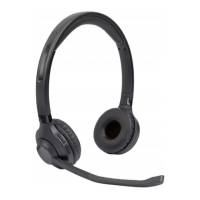
Connect the headphones with a communication device.
Place the headphones near a switched on communication device (e.g. mobile or
computer).
To switch on the headphones, press the
button
4
for approx. 3 seconds, until
the LED
5
flashes red/blue in turn and a signal tone sounds. The headphones
are now in connecting mode (pairing mode). If the headphones do not pair with
a suitable playback device within the next 5 minutes, the headphones will switch
themselves off automatically.


 To Next Page
 Loading...