GB/IE/NI/CY/MT 13
If the mains adapter
6
is unplugged in the
meantime, the unit restarts in ventilation level
"03".
Note: During operation, the display continues to
light up for approx. 20 seconds before the display
goes out and switches to standby mode.
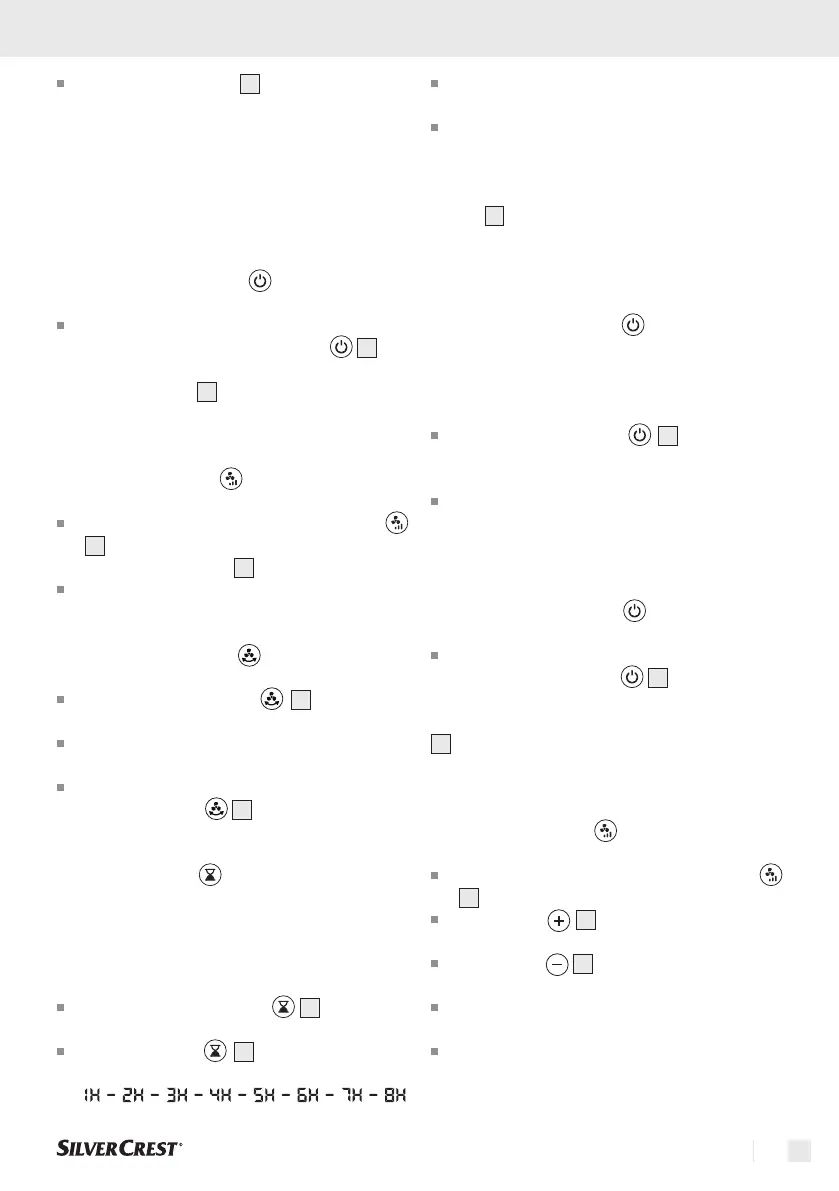
5.2 Switch off the device
To return the unit to standby mode after
operation, press the On/Off button
5
.
NOTE: The display
1
shows "00" for approx. 20
seconds and then also switches off.
5.3 Select fan stages
To change the fan speeds, press the button
2
repeatedly until the desired speed (1-10) is
shown on the display
1
.
The desired ventilation level is adopted directly.
5.4 Oscillation function
Press the oscillation key
3
to switch the
oscillation of the unit on or off.
The oscillation function causes the discharged
air to be distributed from left to right.
To deactivate the oscillation function, press the
oscillation button
3
again.
5.5 Timer function
The timer is used to switch off the unit automatically
after a preset time. The timer function can be set in
hourly intervals of up to 8h.
During operation, press the
4
key to enter
the timer function. The hour indicator lights up.
Press the button
4
repeatedly to set the
hour you want.
Wait approx. 10 seconds until the settings are
accepted.
After successful transfer, the display returns to
the current fan speed.
NOTE: A small dot flashes at the bottom right of the
display
1
to simulate the timer.
6. Control with the remote control
6.1 Switch on the device
Note: The buttons have a signal tone feedback (for
signal tones, see point 6.7).
Press the on/off button
13
to turn on the
product. When you turn it on for the first time,
the device will start directly in fan stage “03”.
The next time it is used, the appliance starts
at the same ventilation level that was selected
during the last operation.
6.2 Switch off the device
To switch the device back to standby mode after
operation, press button
13
.
NOTE: The device switches off, while the display
1
shows “00” for about 20 seconds and then also
switches off.
6.3 Select fan stages
To change the fan stages, press the button
7
on the remote control.
Press button
10
repeatedly to increase the
fan stage.
Press button
11
repeatedly to decrease the
fan stage you have selected.
You can choose between 10 different ventila-
tion levels.
The desired ventilation level is adopted directly.





 To Next Page