30 GB/IE/NI
Android: Open Google Assistant. Follow Google Assistant’s
instructions to complete settings before using this product’s
voice control function.
NOTE: Google Assistant is available on devices with
Android5.0 or above.
Activate the Bluetooth function. Pair this product with your
mobile device.
Press the left MF button[3] twice in quick succession to activate
the voice control function. Now you can use the voice control
function.
Optical sensor
Both headphones[1] are equipped with an optical sensor[4].
When you remove a headphone[1] from your ear, the audio
playback will be paused.
When you insert the headphone[1] back into your ear, the
audio playback will continue automatically.
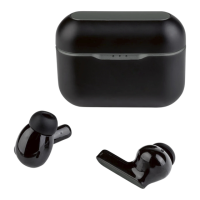
Changing ear cushions
Before changing the ear cushions: Power off the product.
Remove the medium size ear cushions[] from the
headphones[1] (fig. C).
Select the small or large size ear cushions[][] and push
them onto headphones[1] (fig. D).










 To Next Page