60 GB/IE
select the current month. Confirm by pressing the
M button
7
.
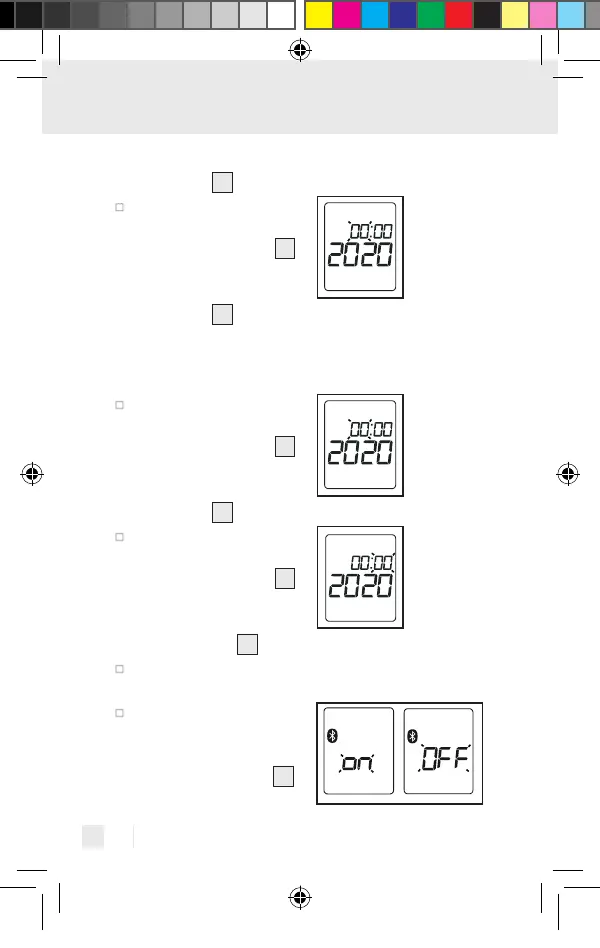
The day display will
flash on the display.
Using the S button
6
select the current day.
Confirm by pressing the
M button
7
.
Note: If the 12-hour time format has been con-
figured, the positions for the month and day will
be reversed.
The hour display will
flash on the display.
Using the S button
6
select the current hour.
Confirm by pressing the
M button
7
.
The minute display will
flash on the display.
Using the S button
6
select the current min-
ute. Confirm by pressing
the M button
7
.
If no button is pressed within 30 seconds, the
basic settings menu will automatically close.
Bluetooth
®
will flash
on the display. Activate
or deactivate Bluetooth
®
using the S button
6
391893_2201_V4.0_silv_Multifunktionsthermometer_Content_OS_DE_GB_FR_NL_PL_CZ.indd 60391893_2201_V4.0_silv_Multifunktionsthermometer_Content_OS_DE_GB_FR_NL_PL_CZ.indd 6003.05.22 08:4103.05.22 08:41



 To Next Page