72 GB/IE
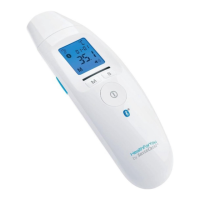
To switch on the multi-function thermometer, press
the ON / OFF/ MEASURE button
8
for one
second.
Press the M button
7
. The last measured value
will appear on the display.
If you have activated Bluetooth
®
data transfer, the
data will be transferred after the measurement. The
thermometer displays the symbol for Bluetooth
®
during transfer.
Note: The “HealthForYou“ app must be activated
for transfer to occur. If the current data is not dis-
played on your smartphone, repeat the transfer
process as described in the chapter “Transferring
measured values“.
To change between individual saved measured
values, press the M button
7
.
The device will switch off automatically after 30
seconds (if no Bluetooth
®
connection is available)
or press the ON / OFF / MEASURE button
8
for 5 seconds to switch it off.
Transferring measured values
Transferring via Bluetooth
®
low
energy technology
You have the option of transferring the measured values
and values saved on your device to your smartphone
using Bluetooth
®
low energy technology.
391893_2201_V4.0_silv_Multifunktionsthermometer_Content_OS_DE_GB_FR_NL_PL_CZ.indd 72391893_2201_V4.0_silv_Multifunktionsthermometer_Content_OS_DE_GB_FR_NL_PL_CZ.indd 7203.05.22 08:4103.05.22 08:41


 To Next Page
 Loading...