73 GB/IE
Measuring object temperatures
To switch on the multi-function thermometer, press
the ON/OFF/MEASURE button
8
for one
second.
Then press the MEM button
7
and the SET but-
ton
6
at the same time for 3 seconds to change
to the object temperature mode.
appears on
the LC display.
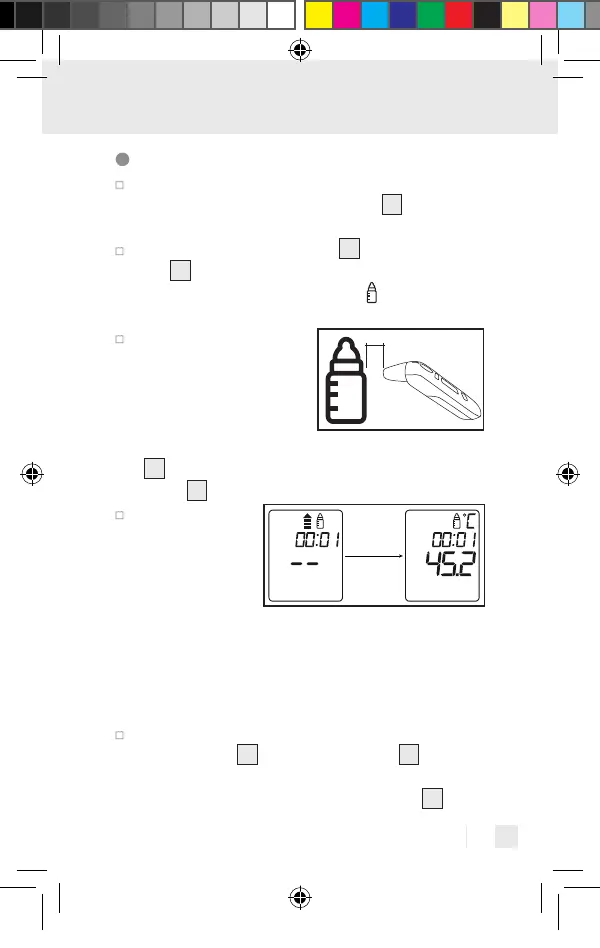
Point the sensor tip
towards the object or
the liquid to be meas-
ured (never immerse in
liquids!) at a distance of
3 cm and press the ON/OFF/MEASURE button
8
or the MEASURE button (forehead measure-
ment)
5
for 1 second.
Release the
selected button.
The measured
value appears
on the display
and the end of measurement is indicated with a
short beep (when the key tone is activated). When
the measurement type symbol stops flashing, the
n
ext measurement can be taken. This takes appro
x.
5 seconds.
To leave object temperature mode, hold down the
MEM button
7
and the SET button
6
at the
same time for 3 seconds or switch the device off
using the ON/OFF/MEASURE button
8
.
437990_2304_V2.0_silv_Multifunktionsthermometer_Content_OS.indd 73437990_2304_V2.0_silv_Multifunktionsthermometer_Content_OS.indd 73 15.06.23 14:2215.06.23 14:22


 To Next Page